
Let's be honest, a touch screen radio with a backup camera isn't just a nice-to-have feature anymore—it's a game-changing safety and convenience upgrade for any Solana EV. This single piece of tech combines all your infotainment needs with a crystal-clear view of what's behind you, making every reverse and tight maneuver so much easier and safer.
Whether you're a property manager focused on guest safety or an owner who just wants a better drive, this is one of the most practical enhancements you can make.
Transform Your Solana EV With a Modern Upgrade
Picture this: you're navigating a winding resort path, a crowded parking lot, or backing out of a tight spot. With an integrated touch screen system, you have a central command hub for music, navigation, and vehicle info. But the real magic happens when you shift into reverse. The screen instantly displays the view from the backup camera, wiping out those tricky and dangerous blind spots.
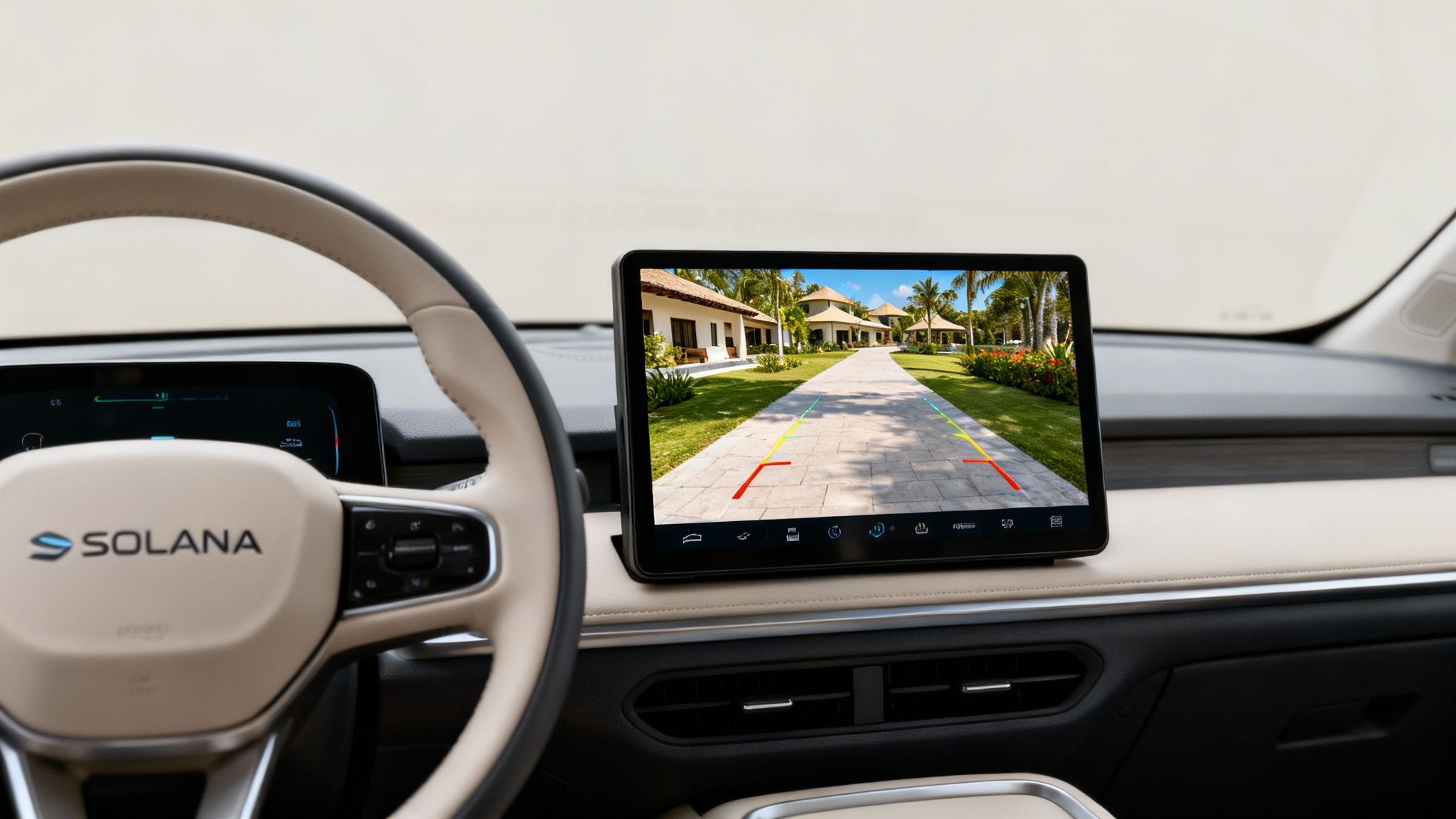
This kind of technology has completely changed the safety game for low-speed vehicles like the Solana EV. It's perfectly suited for the daily challenges faced by resort staff and golf cart owners who are constantly navigating tight spaces. It's no surprise that the global automotive backup camera market is on track to hit $3,860 million by 2026, a boom driven entirely by the push to eliminate accidents from rear-end blind spots.
Why This Upgrade Is Such a Big Deal
For anyone driving a Solana EV, this upgrade is about so much more than just a slick screen. It fundamentally creates a safer, more connected, and just plain better driving experience.
- See Everything Behind You: A wide-angle view eliminates guesswork and drastically cuts the risk of bumping into obstacles, people, or other carts.
- Keep Your Eyes on the Road: Manage your music, take calls, and check navigation all from one easy-to-use screen. No more fumbling with your phone.
- Boost Your Vehicle's Value: Just like in a car, modern tech features make your Solana EV more desirable and can even increase its resale value.
When you're thinking about how to improve your Solana EV, a touch screen radio and backup camera combo delivers a ton of value. If you're looking for more ideas, it's worth checking out other top 5 accessories for electric cars to see what else is out there.
This guide will walk you through exactly what you need to know to choose the right system for your vehicle.
What Features Actually Matter?
When you start shopping for a touch screen radio with a backup camera, the spec sheets can look like a foreign language. You’ll see terms like lux ratings, IP codes, and resolutions thrown around, and it's easy to get bogged down in the technical jargon. Let's cut through the noise and talk about what these features really mean for your day-to-day driving in a Solana EV.
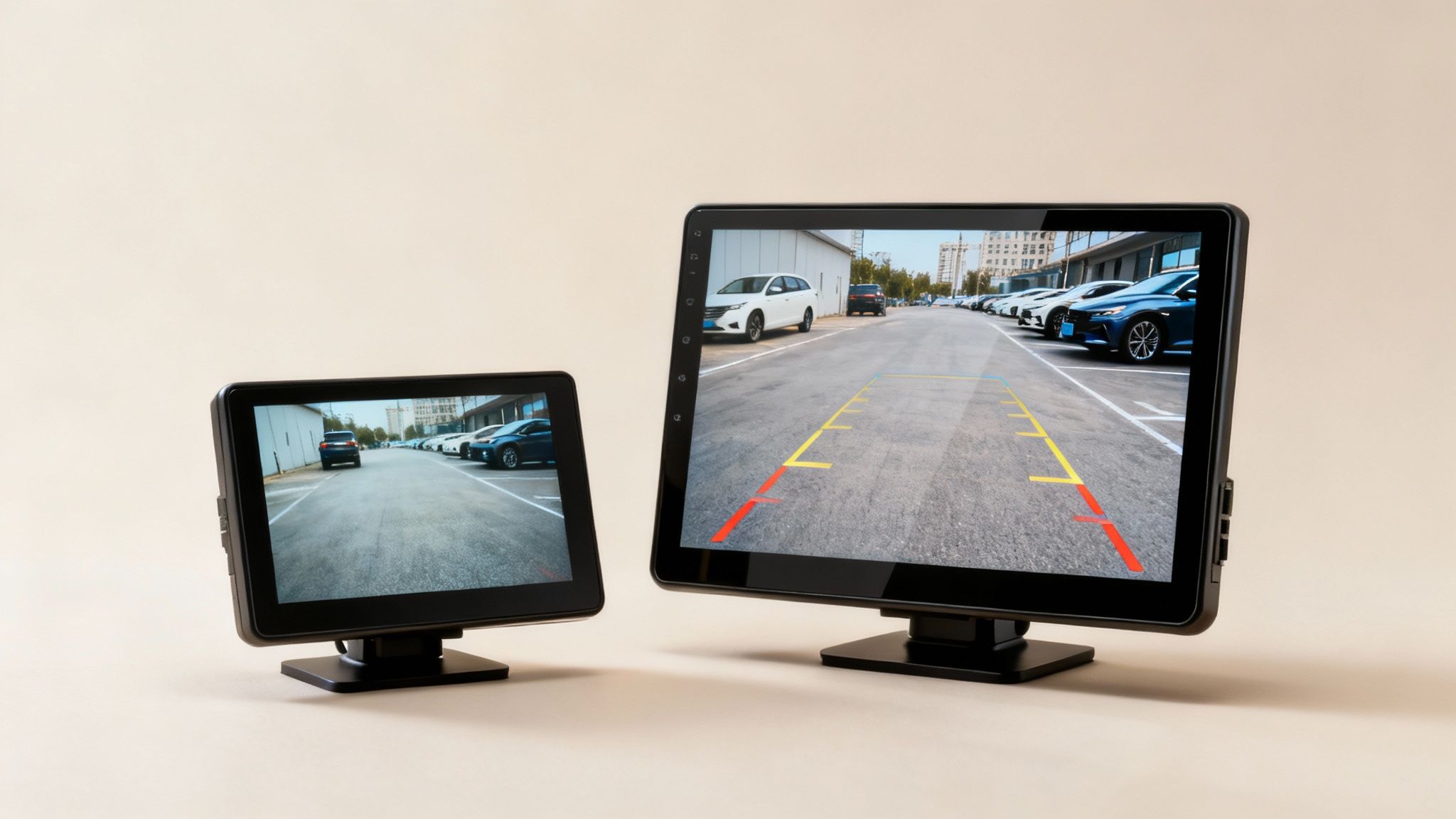
The best way to think about it is as two separate but equally important parts: the display you see in the dash and the camera mounted on the back. The performance of the whole system depends entirely on how well these two components work together.
What to Look for in the Display Screen
The screen is your window to what's happening behind you, so its size and clarity are everything.
-
Screen Size: You'll find that 7-inch screens are a pretty standard starting point, but upgrading to a 9- or 10-inch display makes a world of difference. It gives you a much bigger, more confident view. For a resort vehicle or an off-road model where you need to spot every little rock and rut, that extra screen real estate is a game-changer.
-
Resolution: This is just a fancy word for image sharpness. Think of it like the difference between standard TV and high-definition. A higher resolution, like 1080p, delivers a crisp, detailed picture that makes it easier to judge distances and spot hazards, especially when it's dark or rainy.
-
Touch Technology: These days, nearly every quality system uses a capacitive touch screen—the same responsive, intuitive tech found in your smartphone. It's why this technology now dominates over 60% of the infotainment market. It just works, smoothly blending your radio, navigation, and camera controls into one interface.
What to Look for in the Backup Camera
The camera has its own set of specs that directly impact how well it performs in the real world. Don't let the numbers scare you; they all translate to practical benefits.
A great backup camera doesn't just show you what's there; it gives you the confidence to maneuver safely in any condition. The right specs ensure your view is reliable, day or night, rain or shine.
Here are the key camera features to check:
-
Viewing Angle: Measured in degrees, a wider angle shows you more of what’s behind and to the sides of your vehicle, shrinking those dangerous blind spots. Aim for a camera with at least a 120-degree field of view.
-
Low-Light Performance (Lux Rating): This tells you how well the camera can "see" in the dark. The lower the lux rating, the better it performs in low light. This is critical for anyone driving early in the morning or late at night.
-
Weatherproofing (IP Rating): A rating like IP67 means the camera is built to withstand dust and water. For a Solana EV that might be exposed to the elements on a dusty trail or caught in a downpour, this is a non-negotiable feature.
This focus on safety and clear visuals isn't just about convenience. Since rearview cameras became standard on new vehicles, we've seen a 25% drop in reversing fatalities globally. That impact is driving a market expected to grow from $9.79 billion in 2026 to $15.31 billion by 2031.
To help you decide, here’s a quick comparison of what you can expect at different price points.
Feature Comparison for Touch Screen Radios
This table breaks down the essential features to help you find the right system for your Solana EV, whether you're focused on the basics or looking for top-tier performance.
| Feature | Basic System (Good) | Mid-Range System (Better) | Premium System (Best) |
|---|---|---|---|
| Screen Size | 7-inch | 9-inch | 10-inch or larger |
| Resolution | 480p or 720p | 720p or 1080p | 1080p Full HD |
| Camera Viewing Angle | 120 degrees | 140-170 degrees | 170+ degrees with dynamic guidelines |
| Low-Light (Lux) | Standard performance | Enhanced low-light sensor (low lux rating) | Superior night vision (very low lux rating) |
| Weatherproofing | IP67 (dust and water resistant) | IP67 or IP68 | IP68/IP69K (fully waterproof and high-pressure safe) |
Ultimately, understanding these core features empowers you to choose a system that will genuinely improve your driving experience.
If you're interested in more audio-visual upgrades, take a look at our complete guide on Solana golf cart stereo systems.
Will It Fit? A Guide to Solana EV Compatibility
So, you’re ready to upgrade your Solana EV with a new touch screen radio and backup camera. That's a fantastic move. But before you get too excited, let's talk about the most important question: will it actually fit and work in your specific model? A little homework here can save you a world of frustration down the road.
Every Solana EV, whether it's a zippy XA or a tough F-Series, has its own unique dashboard and electrical setup. Compatibility isn't just a suggestion; it's the key to a successful upgrade. You wouldn't buy a suit without checking the size, and the same principle applies here. A poorly chosen unit can lead to a messy installation that looks amateurish and functions poorly.
Checking Physical Dimensions
First things first: break out the tape measure. Don't just guess. You need to know the exact height, width, and depth of the space your current radio occupies. This one simple step will instantly tell you which new units are even in the running, saving you from considering options that would require a massive custom fabrication job.
Before you add anything to your cart, run through this quick checklist:
- Dash Opening Height: Measure the vertical space you have to work with.
- Dash Opening Width: Check the horizontal opening.
- Mounting Depth: This is a big one people forget. How much space is there behind the dash? Some of these new stereos are deeper than you'd think.
Getting these measurements right is the difference between a clean, factory-finish look and a botched job. For a detailed breakdown of different model specs, our guide on Solana golf cart dimensions is a great resource.
Power and Wiring Compatibility
Once you know a unit will physically fit, you need to make sure it can talk to your Solana EV’s electrical system. This is where a plug-and-play wiring harness is an absolute game-changer. These adapters let you connect the new radio to your vehicle's existing wiring plugs without any cutting or splicing.
Trust me on this: using a model-specific wiring harness is the single best thing you can do for a clean, reliable, and reversible installation. It protects your vehicle’s wiring and makes the whole process infinitely easier.
You also need to think about power draw. Your Solana EV runs on a battery, and a bright new touch screen and camera will use more juice. Take a look at the radio’s specs to see how much power it consumes. You want a system that's efficient enough that it won't drain your battery prematurely, especially if you’re out and about for long stretches. A little foresight here ensures your upgrade is a genuine improvement, not a new source of range anxiety.
What to Expect During the Installation Process
So, you’re ready to upgrade your Solana EV with a touch screen radio with backup camera. Whether you're a seasoned DIYer or planning to hire a pro, it helps to know what the job actually entails. This isn’t just a simple plug-and-play swap; it involves getting into the dashboard, routing wires to the back of the vehicle, and making sure everything talks to each other correctly.
First things first, the factory dash panel and old radio have to come out. This is a delicate step where you'll want to use proper trim removal tools to avoid scratching up your dash. After that, it's a matter of connecting the new wiring harness, securing the mounting bracket, and carefully seating the new touch screen.
Before you even start, it’s smart to do a quick three-step check: measure the dash opening, confirm your wiring is compatible, and verify the power source. This simple prep work can save you a massive headache later.
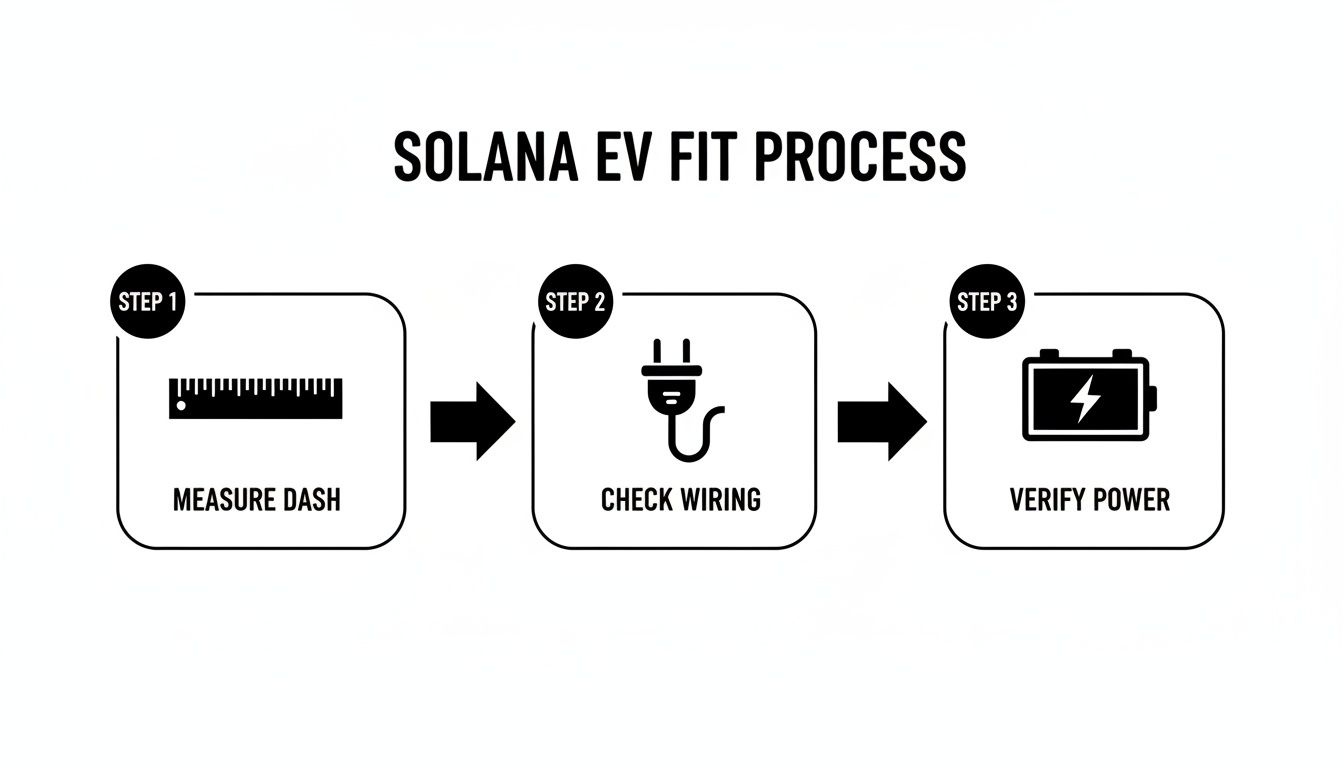
Getting these details right from the start is the key to a smooth installation and ensuring your new system works perfectly with your Solana EV.
Positioning the Backup Camera
Now for the camera. Where you place it makes all the difference in what you can actually see. Think of it like finding the perfect spot for a security camera—you want to eliminate blind spots and get the most useful view possible. You generally have a couple of solid options:
- License Plate Mount: This is by far the most popular and straightforward choice. The camera piggybacks onto your license plate screws, so there’s little to no drilling required. It gives you a nice, centered view right out of the box.
- Bumper or Body Mount: If you want more control over the viewing angle, this is the way to go. Mounting the camera a bit higher up can give you a better bird's-eye perspective, which is fantastic for spotting curbs or other low objects when you're backing into a tight spot.
Ultimately, the right spot depends on your vehicle and personal preference. The goal is always a wide, clear field of vision that makes reversing safer and less stressful. For more great ways to upgrade your ride, take a look at our guide on the best golf cart accessories at https://solanaev.com/best-golf-cart-accessories/.
Why Professional Installation Is a Smart Choice
While you can definitely install these systems yourself if you have some experience, there are very good reasons to hand the job over to a certified technician. A pro will make sure every wire is properly connected and shielded, which protects your vehicle's sensitive electronics from shorts or interference. Nobody wants to deal with a flickering screen or a camera that cuts out intermittently.
A new touch screen and camera is a sophisticated upgrade. It needs to be expertly integrated into your Solana EV's existing electrical architecture, which is why specialized attention to its internal electrical system services is so important.
There's also the warranty to consider. If an electrical problem pops up later and the dealer finds it was caused by shoddy wiring, you could be on the hook for some very expensive, non-covered repairs. A professional installation is guaranteed, giving you peace of mind that everything will work perfectly from the moment you drive away.
How to Pick the Right System for Your Needs
Choosing the perfect touch screen radio and backup camera isn't about grabbing the first one you see. What works for a fleet of resort shuttles is completely wrong for a personal off-road rig. The real trick is to think about how you'll actually use it day-to-day.
It’s a bit like buying tires. You wouldn't slap slick racing tires on a truck that's going to spend its life on muddy trails, right? The same logic applies here. You need a system built for the job, one that solves your real-world problems instead of just adding a cool-looking screen to your dash.
For Resort and Property Managers
If you're overseeing a fleet of Solana Campus E models buzzing around resort paths or community roads, your priorities are different. You need something tough, dead simple to use, and, most importantly, something that keeps your guests and staff safe. You're looking for a tool that anyone can operate without a second thought.
When you're outfitting a commercial fleet, keep your eye on these key features:
- Wide-Angle Cameras: Don't even consider a camera with less than a 170-degree viewing angle. A wide view is your best defense against dangerous blind spots, which is absolutely critical in areas packed with pedestrians.
- A Simple, Intuitive Interface: Look for a clean layout with big, obvious icons. A responsive screen means less fumbling and distraction for your drivers, no matter how comfortable they are with technology.
- Commercial-Grade Durability: These units are going to see constant use. You need screens with scratch-resistant coatings and cameras with a high IP rating to handle rain, dust, and daily wash-downs.
For a commercial fleet, the right touch screen radio is a risk management tool. It provides clear, undeniable visibility that can help reduce minor accidents, lower insurance claims, and create a safer environment for everyone on the property.
This kind of technology is becoming a must-have for low-speed vehicles. Touch screen radios with backup cameras are now seen as essential safety gear. The market shows it, jumping from $639.5 million in 2023 and projected to hit $1.97 billion by 2030. This massive growth is all about the demand for better driver-assistance systems, even in specialized vehicles like the Solana EV. You can learn more about the backup camera market growth on Grand View Research.
For Off-Road and Personal Use
Now, if you’re an enthusiast getting your Solana G dirty on the weekends, your checklist is going to look a lot different. You’re after rugged performance and solid entertainment features that won't fail you when you're miles from civilization.
Here’s what to prioritize for your personal ride:
- A Bright, Anti-Glare Screen: Out on the trail, direct sunlight can make a standard screen totally unreadable. A bright display with an anti-glare finish means you can actually see your maps and camera feed when you need them most.
- Serious Weatherproofing: An IP67 or IP68 rating on the camera isn't just a nice-to-have; it's a necessity. This rating guarantees it’s sealed against dust, mud, and water, so a surprise downpour or a creek crossing won’t kill your gear.
- Flawless Smartphone Connection: You'll want rock-solid Bluetooth for your trail playlists and hands-free calls. Even better, look for systems with Apple CarPlay or Android Auto to get a familiar, easy-to-use interface for navigation and music.
Keeping Your New System Running Smoothly
You've got your new touch screen radio with backup camera installed and running. Great! Now, let's talk about how to keep it that way. A little preventative care and some quick troubleshooting knowledge will ensure it works reliably for years to come. The good news is that most common issues are surprisingly easy to fix and rarely point to a serious hardware failure.
Sooner or later, you might see a flickering screen or the camera feed might drop out. Before you panic and start thinking about replacements, check the simple stuff first. A wire that's worked its way loose behind the head unit or a less-than-perfect connection right at the camera is the culprit over 90% of the time. Just making sure everything is plugged in snugly is almost always the best first step.
Quick Troubleshooting Tips
If a wiggle test on the connections doesn't solve the problem, don't worry. Here are a few other common hiccups and what to do about them:
- Frozen or Unresponsive Screen: Think of it like a smartphone that needs a reboot. Most units have a simple reset process. Check your user manual to find it—it's often just a tiny, recessed button you can press with a paperclip.
- "No Signal" Message: If you know the wiring is solid, the camera itself might not be getting power. Double-check that it's properly connected to a power source that activates when the vehicle is put in reverse.
- Blue Screen: A persistent blue screen often points to a software glitch. It's worth checking the manufacturer's website for any available firmware updates that might squash the bug.
At the end of the day, maintaining your system is all about preventative care. A few good habits will protect your investment, help it last longer, and make sure your view is crystal clear when you need it most.
Best Practices for Long-Term Care
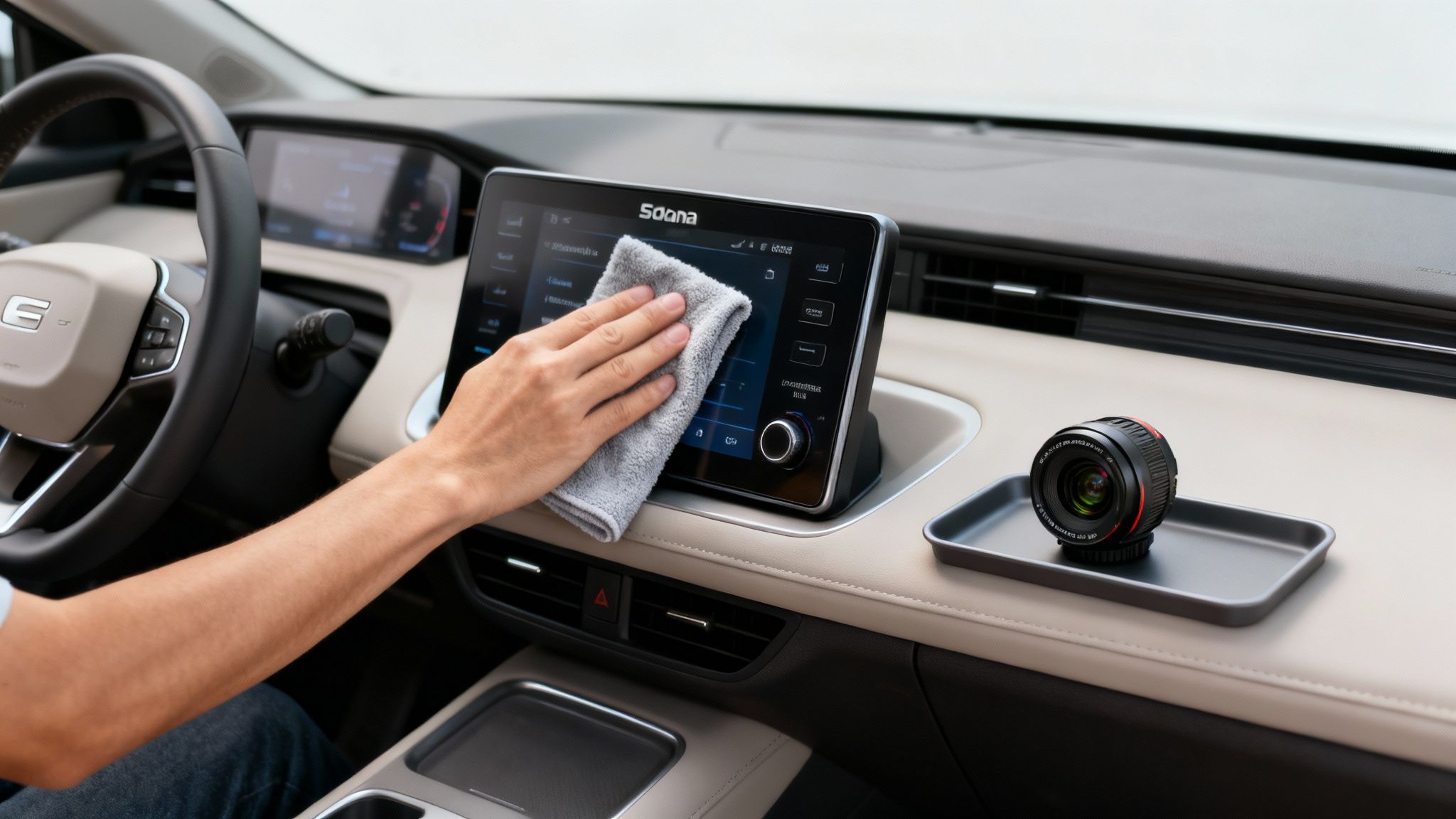
Keeping your system in top shape really comes down to gentle cleaning. For the touch screen, a clean, dry microfiber cloth is your best friend for wiping away fingerprints and dust. Steer clear of harsh chemical cleaners or paper towels, which can easily leave permanent scratches on the screen's surface.
The same rule applies to the backup camera lens. A quick wipe with a microfiber cloth is all it takes to keep your view sharp and unobstructed every time you shift into reverse.
Got Questions About EV Upgrades? We've Got Answers.
Thinking about upgrading your Solana EV with a new touch screen and backup camera? It's a smart move, but it's only natural to have a few questions before you dive in. Let's tackle some of the most common ones we hear.
Will Installing a New Radio Void My Warranty?
This is probably the biggest concern we see, and the short answer is no—installing an aftermarket system will not void your Solana EV's main vehicle warranty.
The key here is the installation itself. While Solana EV's warranty won't cover the new radio or camera you've purchased, a clean, professional installation ensures the vehicle's original wiring and systems aren't compromised. If a certified technician does the job right, your factory warranty remains intact. It’s a small investment for complete peace of mind.
What Should I Expect to Pay for Professional Installation?
The cost can shift a bit depending on your location and how complex your new system is. A basic setup will be on the lower end, while a unit with more bells and whistles might take a bit longer to integrate perfectly.
As a ballpark figure, you can expect installation to run somewhere between $150 and $400. Honestly, it's worth every penny. Paying a pro ensures everything works flawlessly the first time you turn it on, from the camera feed to the Bluetooth connection.
Can I Connect My Smartphone to These Systems?
Absolutely! That's one of the best parts of this upgrade. Modern touch screen radios are built around connectivity. At a minimum, you'll get Bluetooth for wireless music streaming and hands-free calling.
But the real magic is in systems that include Apple CarPlay and Android Auto. This feature essentially puts your smartphone's key apps right on the dashboard display. You get a familiar, easy-to-use interface for navigation, music, and messages, turning your new radio into the command center of your vehicle.
Ready to transform your driving experience? Explore the full range of custom options and upgrades at Solana EV. Find your perfect fit today!