
When your electric golf cart suddenly gives up the ghost, it’s easy to jump to the worst conclusion—a dead motor or a fried battery bank. But before you break out the toolbox and start dreading a hefty repair bill, take a breath. In my experience, most of these "no-go" situations come down to something surprisingly simple.
A quick walk-around and a few switch checks can solve more problems than you'd think, saving you a ton of time and frustration.
Your Initial Diagnostic Checklist
Let's start with a systematic check. Running through a quick diagnostic routine helps you rule out the common culprits right away, and you won't even need to pick up a wrench for this part.
First, just use your eyes. Take a slow walk around your cart. See any wires dangling underneath? Notice any puddles on the garage floor? A puddle could mean a leaking battery, which is an immediate red flag. This simple visual sweep can sometimes solve the mystery before you even turn the key.
Checking The Obvious First
It sounds basic, I know, but in a moment of panic, it's easy to miss the simple stuff. These operator-level checks account for a huge number of service calls.
- Is the Key On? Make sure the key is turned all the way to the 'ON' or 'FWD' position. If it's only halfway there, the circuit won't engage.
- Run/Tow Switch: This one gets people all the time. The cart is designed not to move if this switch is in 'TOW' or 'MAINTENANCE' mode. Flip it back to 'RUN'.
- Is it Unplugged? As a safety feature, nearly all electric carts are built to stay put while the charger is plugged in. Always double-check that the charger is completely disconnected.
These three little things are the golden trio of easy fixes. If you've checked them and your cart still won’t budge, then it's time to dig a little deeper. We have another article with more detailed steps if your golf cart won't start that covers these initial issues in greater depth.
Interpreting What You Hear (Or Don't Hear)
The sounds your cart makes—or doesn't make—when you press the accelerator pedal are your best clues. Listening closely can tell you exactly where to look next.
Go ahead and press the pedal. What do you hear?
A single, solid "click"? That's good news, in a way. That click is the solenoid, which is basically a big relay that shoots power from the batteries to the motor. Hearing that click tells you the initial part of the circuit is working. The problem lies somewhere after that point.
Pro Tip: A single click but no movement usually points to a bad solenoid, a problem with the motor itself, or a loose high-amperage cable. On the flip side, if you hear absolutely nothing—total silence—the problem is before the solenoid. Think key switch, microswitch, or a total loss of power from the batteries.
This simple decision tree can help you visualize where to go next based on what you hear.
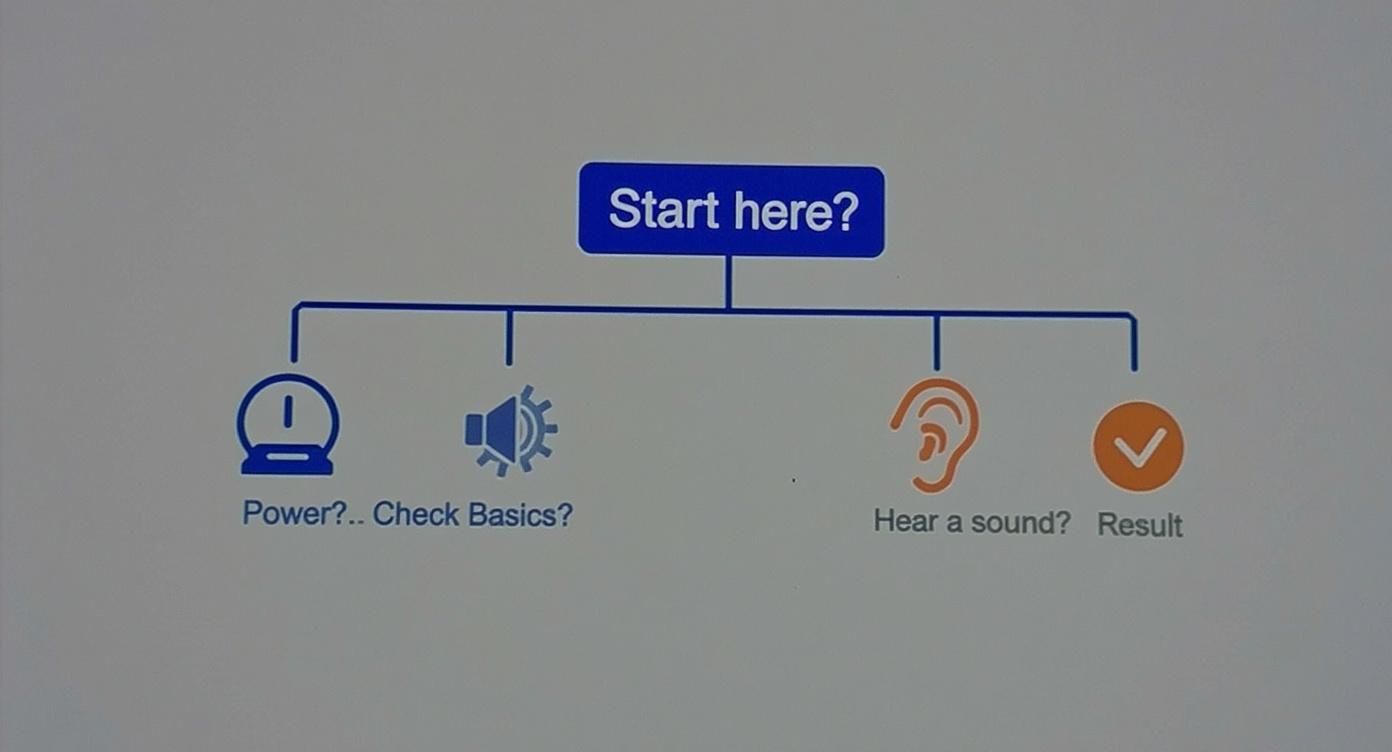
As you can see, the path splits depending on that initial sound. By following this logical flow, you stop guessing and start methodically tracking down the real source of the problem. It makes troubleshooting your electric golf cart a whole lot less intimidating.
Solving Common Battery and Power Issues

When your golf cart acts up, the battery pack is almost always the first place to look. If your initial once-over didn't turn up anything obvious, it's time to dig into the heart of the machine. Honestly, most power-related headaches start and end right here. Learning your way around the battery bank is the single most important skill you can have for keeping your cart running smoothly.
It's no secret in the service industry; battery problems account for over 60% of all electric golf cart repair calls. That’s a staggering number, and it tells you just how critical battery health is to your cart’s reliability.
Performing A Safe Visual Battery Inspection
Before you even think about grabbing a wrench or multimeter, just use your eyes. A good visual inspection can tell you a lot. First thing’s first: get the cart on level ground, turn the key off, and flip the run/tow switch to ‘TOW’. This is non-negotiable—it cuts power to the drive system and keeps you safe.
Now, pop the seat and take a look at the battery compartment. You’re hunting for the classic signs of trouble.
- Corrosion: See any fuzzy, white, or greenish crud on the terminals? That’s corrosion, and it’s a major barrier to electrical flow. It's often the culprit behind a sluggish cart or one that won't go at all.
- Loose Connections: Give each battery cable a gentle tug right at the terminal. If you feel any wiggle or play, that’s a problem. A loose connection creates resistance, which generates heat and can cause all sorts of intermittent power issues, or even melt a battery post.
- Physical Damage: Scan the battery casings for any cracks, and pay close attention to the sides. If a battery looks puffy or swollen, it's a sign of internal failure, likely from overcharging or simply old age. A bulging battery is a dead battery—replace it immediately.
Safety First: Always wear safety glasses and gloves when you're working around batteries. They contain sulfuric acid, which is no joke. And here's a pro tip: never, ever let a metal tool bridge the positive and negative terminals of a battery. That’s a recipe for a very bad day.
Checking Water Levels In Lead-Acid Batteries
If your cart uses traditional lead-acid batteries, checking the water level is a must-do chore. When the water gets too low, the internal lead plates get exposed to air, which permanently damages them and kills the battery's capacity.
To check, just carefully pry the caps off the top of each battery. You want to see the water (also called electrolyte) sitting just above the plates. If you can see the top of the plates, the water is too low.
When you top them off, use only distilled water. Regular tap water is full of minerals that will build up on the plates and slowly strangle the battery. This simple bit of maintenance can add years to your battery pack's life. For a full rundown, check out our guide on https://solanaev.com/golf-cart-battery-maintenance/.
To help you connect the dots, this table lays out some common symptoms and what they likely point to.
Common Battery Symptoms and Their Likely Causes
| Symptom | Likely Cause | Recommended First Action |
|---|---|---|
| Cart is completely dead, no clicks | A broken main connection or a dead battery pack | Check main positive/negative cables for corrosion or looseness |
| Cart clicks but won't move | Low pack voltage or a single dead battery | Test total pack voltage with a multimeter |
| Cart is slow or weak, especially on hills | One or more weak batteries in the pack | Test each battery's voltage individually |
| Shorter-than-usual run time | Aging battery pack or improper charging | Check water levels and test individual battery voltages |
Matching what your cart is doing to a probable cause is the first step toward a quick and accurate fix.
Using A Multimeter To Test Voltage
A visual check gets you started, but a multimeter gives you the hard data. This inexpensive tool takes the guesswork out of diagnosing battery health.
First, set your multimeter to the DC Voltage setting—it's usually marked with a ‘VDC’ or ‘V–’. For the most accurate results, you should test the batteries after they've had a full charge and have been left to rest for a few hours.
Individual Battery Voltage
Go down the line and test each battery one by one. Place the red probe on the positive (+) terminal and the black probe on the negative (-) terminal. A healthy, fully charged 8-volt battery should read between 8.4 and 8.5 volts. A 6-volt battery will be around 6.3 to 6.4 volts.
Jot down the numbers for each battery. You're looking for an outlier. If five of your 8-volt batteries read 8.4V and one is sitting at 7.9V, you've found your problem. That one weak battery is dragging the whole pack down.
Total Pack Voltage
Next, check the voltage of the entire pack. Find the main positive and main negative terminals for the whole series of batteries and place your probes there. For a standard 48-volt system, you should see 50 to 51 volts on a full charge. If your reading is significantly lower, it points to a problem with the pack as a whole or a charger that isn't doing its job.
The basic principles of battery care are pretty universal. Learning about extending electric vehicle battery life can give you a proactive edge. When you can back up what you see with real data, you stop guessing and start fixing.
Tracing Faults in the Electrical System

So, you’ve done your due diligence and confirmed the batteries are healthy and holding a full charge, but the cart still won't budge. This is a classic fork in the road for any mechanic. It tells us to stop looking at the power source and start investigating the intricate web of components that delivers that power to the wheels.
Now we’re diving into the heart of the system: the solenoid, the speed controller, and all the wiring that ties them together. A breakdown in any one of these can sideline your cart just as effectively as dead batteries. Don't worry, though—figuring this out is more about logical deduction than complex electrical engineering.
In my experience, once you rule out the battery pack, these other electrical gremlins account for a huge chunk of problems—somewhere around 20% to 25% of all no-go situations. The solenoid, in particular, is a common culprit. Think of it as a heavy-duty light switch for your motor. In high-use fleets, it's not uncommon to see a replacement rate of 1 in every 5 carts annually.
The Classic 'Click, But No Go' Solenoid Test
This is a symptom so common it deserves its own spotlight. You hop in, press the accelerator, and you hear a single, confident click from under the seat… followed by nothing. The cart just sits there. That click is your biggest clue, and it's practically shouting "check the solenoid!"
So, what is it? The solenoid is a heavy-duty electromagnetic switch. When you hit the go-pedal, a small current energizes it, making that clicking sound as it closes a much larger internal contact. This action completes the high-amperage circuit between your battery pack and the motor. The click tells you the low-power activation circuit is working, but the silence afterward suggests the high-power side has failed.
What happens is that over hundreds of hours of use, the massive electrical load arcs across the internal contacts, causing them to become pitted and burned. Eventually, they get so damaged they can't make a clean, solid connection, and the power never makes it to the motor.
How to Test a Solenoid
First, for safety, put the cart in 'TOW' mode and turn the key off. Grab a multimeter and set it to the continuity setting (the one that beeps). Touch the probes to the two large terminals on the solenoid; it should be silent, showing no continuity. Now, have a friend turn the key on, put it in FWD, and press the accelerator. You should hear the click, and your multimeter should immediately start beeping, indicating the circuit is now complete. If it clicks but the meter stays silent, you've found your problem.
Identifying A Failing Speed Controller
If the solenoid is the switch, the speed controller is the brain. It interprets how hard you're pressing the accelerator and then carefully meters out the right amount of power to the motor. When this complex piece of electronics starts to go bad, the symptoms can get really weird.
A failing controller rarely results in a simple "no-go" issue. You're more likely to see jerky, hesitant acceleration that feels like the cart is bucking. Another tell-tale sign is the cart getting stuck at one speed—maybe it only creeps along, or it lurches to full speed instantly, with no in-between.
Sometimes, the cart will run perfectly for five minutes, then abruptly cut out. After it sits and cools down for a while, it might work again. This points directly to an internal component overheating and failing under load.
Watch for These Controller Symptoms:
- The cart moves, but only at one speed (either super slow or full throttle).
- You notice a distinct, sharp smell of burnt electronics coming from the battery compartment.
- The cart is completely dead, and you've already confirmed the solenoid is clicking and passing the continuity test.
Troubleshooting a controller can be tricky, as they often communicate with other systems. For instance, modern controllers are tied into the cart's battery management system. A little background on what a battery management system is can give you a better understanding of how these advanced components work together to protect the cart.
Inspecting The Wiring Harness for Damage
Never, ever underestimate a good old-fashioned visual inspection. I've seen more frustrating, intermittent electrical problems solved by finding one frayed wire than I can count.
Start with the big stuff: the thick, high-amperage cables connecting the batteries, solenoid, controller, and motor. Look closely at the connection points for any signs of melted plastic insulation. That's a dead giveaway of a loose connection that's been generating a ton of heat.
Next, trace the smaller wires in the harness. Pay special attention to any spot where the wires might rub against the cart's frame. Years of vibration can easily wear through the insulation, creating a short circuit that can disable the cart in an instant. Corrosion is the other big enemy, especially for carts used near the coast. Look for any green or white crusty powder on terminals and make sure every single connection is clean, bright, and tight. A simple wiggle test on each wire can often reveal a connection that's just barely hanging on.
Getting Your Hands on Motor and Drivetrain Problems
So, you've combed through the batteries and wiring, and everything checks out. But your cart is still dead in the water. What now? It's time to stop thinking in volts and start thinking in terms of mechanical grit. The culprit is likely hiding in the motor or the drivetrain—the heavy-lifting components that turn all that electrical power into actual movement.
This is where your senses come into play. Forget the multimeter for a moment. We're now listening for odd sounds, sniffing for strange smells, and feeling for things that just don't move the way they should. Mechanical problems aren't subtle; they usually announce themselves loud and clear.
Reading the Mechanical Clues
Unlike a silent electrical short, motor and drivetrain issues tend to be a bit more dramatic. If you know what to look for (or listen for), the cart will often tell you exactly what's wrong.
A strong burning smell, kind of like fried electronics, is a dead giveaway. If that smell is coming from the motor right after you hit the pedal, you can bet the motor's internal windings have cooked themselves. In my experience, that's usually the end of the road for that motor.
Then there are the sounds. A loud grinding or whining noise that kicks in when you try to go? That's the sound of metal-on-metal protest, and it's almost always coming from the differential or transaxle. It’s a classic sign of stripped gears or shot bearings.
Simple, Hands-On Diagnostic Tests
You don't need a full mechanic's garage to figure this out. A couple of simple physical tests can quickly tell you whether you're dealing with a bad motor or a seized-up drivetrain.
The Good Ol' Push Test
This is the single best way to find a locked-up mechanical part.
- First, make sure the cart is on level ground. Safety first.
- Release the parking brake.
- Find the run/tow switch and flip it into the 'TOW' position. This is crucial—it disengages the motor's automatic braking.
- Now, give it a good shove.
If the cart rolls, your drivetrain, brakes, and axles are probably in the clear. The problem is almost certainly inside the motor itself.
Pro Tip: If that cart won't budge an inch, you've got a seized component somewhere downstream from the motor. It could be a locked-up brake, a fried wheel bearing, or the worst-case scenario: a blown differential.
The Motor Heat Check
After trying to drive the cart (even if it didn't move), cautiously feel the motor's housing. It's normal for it to get warm, but if it's so hot you can't comfortably keep your hand on it, you've found a major problem. That extreme heat means the motor is struggling against massive internal resistance and is on the verge of total failure.
Working Through Charging System Problems
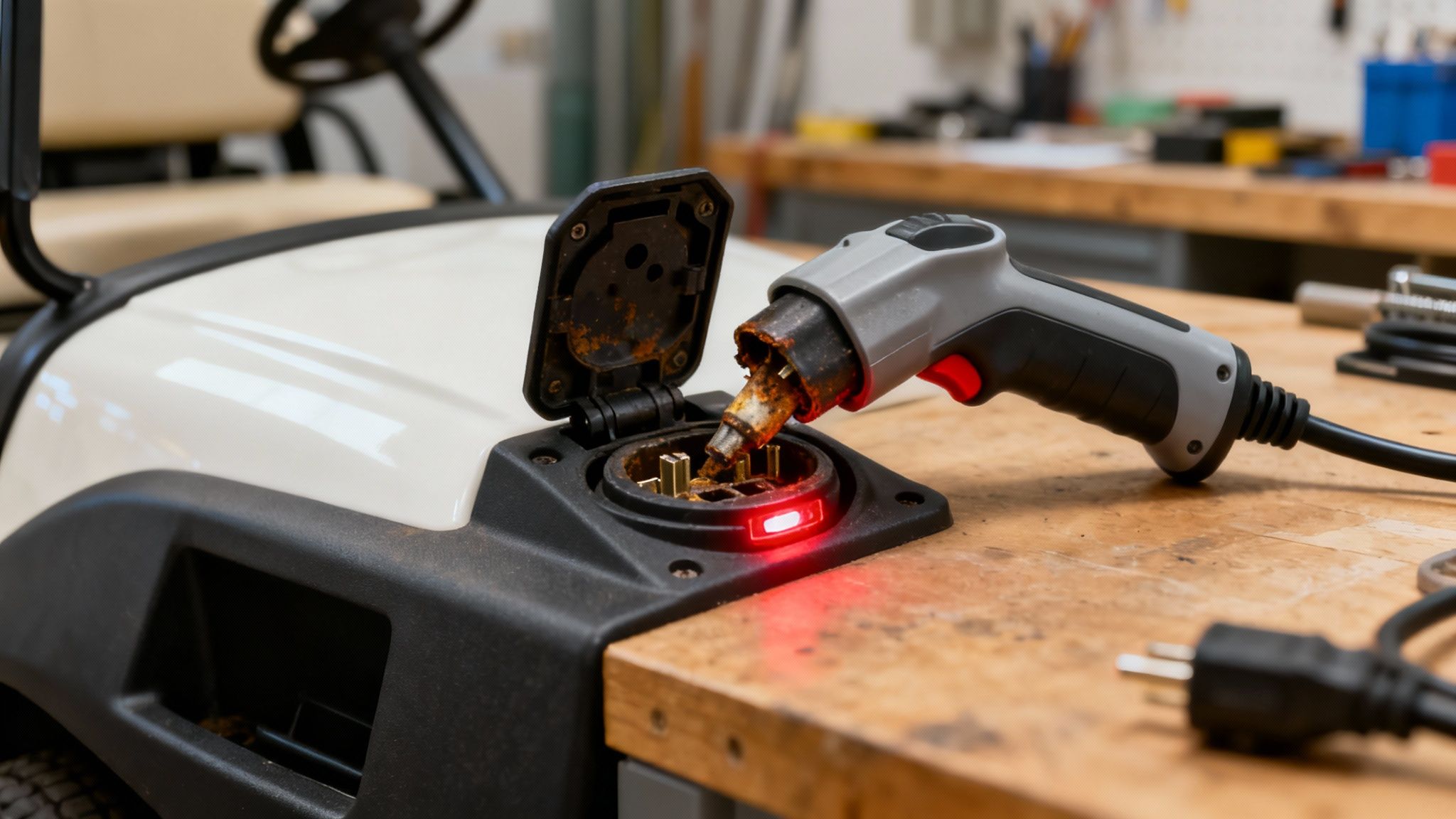
There's nothing more frustrating than a golf cart that refuses to charge. You plug it in, expect it to be ready to go, and come back to a dead cart. It's essentially a very heavy lawn ornament at that point. But don't start pricing out new chargers just yet. More often than not, the solution is something you can find and fix yourself. We'll trace the power from the wall all the way to the batteries to see where things are going wrong.
Let's start with the basics, and I mean really basic. Before you even touch the cart, check the wall outlet. It sounds too simple, but you'd be amazed how many "broken chargers" are just a tripped breaker. Grab a phone charger or a small lamp you know works and plug it into the same outlet. If it lights up, you’ve ruled out your garage wiring and can move on.
Next up, give the charger's AC power cord a good once-over. Run your hands down the entire length, feeling for any deep cuts, kinks, or weird bulges under the insulation. Look closely at the prongs on the plug—are they straight and clean, or are they bent and corroded? A damaged cord isn't just a potential culprit; it's a fire hazard.
What Is Your Charger Trying to Tell You?
Your cart's charger isn't a silent black box; it's trying to talk to you through its little blinking lights or digital screen. These are your first and best diagnostic clues. A solid green light usually means you're good to go, but a flashing red or amber light is the charger's way of crying for help.
Every brand is different, so this is where your owner's manual becomes invaluable. It will have a chart that decodes what each light pattern means. For instance, some chargers flash three times to signal the batteries are too drained to accept a charge, while others might have a specific code for a bad connection. Don't guess. The charger is telling you where the pain is. For example, knowing the codes for specific 48V Club Car charger models can save you a ton of diagnostic time.
Checking the Cart's Receptacle and DC Cord
If the outlet works and the charger is signaling a fault, the problem likely lies with the connection to the cart. That charging port—the receptacle on the cart itself—sees a lot of wear and tear.
Take a good look inside the port. You're hunting for a few common culprits:
- Corrosion: Look for any crusty green or white powder on the metal contacts. This stuff is an insulator and will kill the connection.
- Debris: It’s a magnet for dirt, grass clippings, and even small bugs. Anything blocking the contacts can prevent a solid connection.
- Damage: The plastic housing can get cracked, and the metal pins can get bent or pushed back into the housing.
Key Takeaway: The charging port is a prime suspect. If the contacts inside are loose, dirty, or corroded, the charger won't "see" the batteries. It will never begin the charging cycle, no matter how long you leave it plugged in.
Finally, inspect the heavy-duty DC cord running from the charger to the cart. Treat it just like you did the AC cord, checking for any signs of damage. Make sure the plug at the end is clean and the contacts are shiny. A poor connection anywhere in this chain will stop the entire process cold.
Common Golf Cart Troubleshooting Questions (And Straight Answers)
Even after following a step-by-step guide, some golf cart quirks can leave you scratching your head. Let’s dive into some of the most common head-scratchers I hear about all the time and get you some quick, direct answers. This should help clear things up and let you know when it’s time to hand the keys to a pro.
Why Does My Golf Cart Jerk When I Accelerate?
That jerky, bucking feeling when you hit the go-pedal is a classic. Instead of smooth power, the cart stutters and lurches forward. Nine times out of ten, this is a communication breakdown in the electrical system.
The problem usually tracks back to a faulty speed controller or, more often, an issue with the throttle sensor. Depending on your cart, this might be called an MCOR (Club Car) or an ITS (E-Z-GO). Its job is to tell the controller how much juice you're asking for. When it starts to fail, it sends messy, erratic signals, and that’s what causes the jerky ride.
But hold on before you start ordering expensive parts. Always, and I mean always, check your main battery connections first. A big, high-amperage cable that's just a little loose can create the exact same symptom as it makes and breaks contact when you try to accelerate. If those connections are clean and tight, then it's time to look more closely at that throttle sensor or the controller.
My Cart Is Fully Charged But Runs Super Slow. What Gives?
It’s a huge letdown: you see the battery meter is full, but your cart crawls along like it's dead tired. When you've got sluggish performance on a full charge, you're almost certainly dealing with one of two culprits: a problem with the batteries delivering power or something physically dragging the cart down.
Your multimeter might show a healthy pack voltage—say, 50-51 volts for a 48V system—but that doesn't tell the whole story. Voltage is potential, but amperage is the muscle. One single weak battery in the pack can't deliver the amperage the motor needs under load, especially when you're going up a slight incline. You'll only find the bad apple by testing each battery's voltage one by one.
A Pro Tip From the Shop: Don't forget to check for dragging brakes. To do this safely, lift the rear of the cart so the tires are off the ground, flip the tow/run switch to 'TOW,' and give the wheels a spin by hand. They should turn easily. If one feels stiff or hard to turn, your brakes probably need an adjustment.
I Hear A Click, But The Cart Won't Move. Now What?
Ah, the single most common symptom in the electric golf cart universe. You press the pedal, you hear a solid "click," and then… nothing. That click is a good sign, believe it or not. It's your solenoid activating.
Think of the solenoid as a giant relay. When you press the pedal, a small amount of power tells it to close a circuit, which then allows the massive power from the batteries to flow to the motor. The click means the first part of that process is working. The fact that the cart doesn't move means the high-power side of the solenoid has likely failed. Over thousands of cycles, the internal contacts get burnt and pitted, and they just can't make a good connection anymore.
Could it be a bad controller, a seized motor, or a broken main cable? Sure, it's possible. But the solenoid is the prime suspect 90% of the time. It's a relatively cheap part and the absolute best place to start your diagnosis for this specific problem.
When Should I Throw in The Towel and Call A Professional?
Knowing your own limits is the most important part of any DIY project. You can absolutely fix a ton of common cart issues with basic tools and a bit of logic, but some jobs are best left to a seasoned technician with specialized equipment.
It's time to pick up the phone if your troubleshooting points squarely at one of these components:
- The Speed Controller: This is the brain of your cart. It’s an expensive part that can be fried instantly by improper testing. Don't risk it.
- The Onboard Computer (OBC): On carts that have them, the OBC manages the charging system and can be a real headache to diagnose without the right diagnostic tools.
- The Motor Itself: If you've tested everything and confirmed the motor is getting full battery power but still refuses to turn, it probably has an internal failure. This requires a professional rebuild or replacement.
Basically, if you've confidently ruled out the simple stuff—batteries, wiring, and the solenoid—and you're still stuck, it's safer and often cheaper in the long run to get an expert opinion.
Ready to upgrade from troubleshooting to trouble-free? Explore the premium, street-legal lineup from Solana EV and experience the next generation of electric vehicles. Discover our models and find a dealer near you.