
Keep total voltage drop at or below about 3% under load. As a practical starting point, many carts use 6 AWG for 36V systems, 4 AWG for 48V systems, and 2 AWG or larger for higher-performance 72V setups.
You may be looking at a cart that starts normally, charges normally, and still feels weak halfway up a hill. The battery pack can test well at rest while a cable lug heats up, a hidden conductor loses strands, or a short battery interconnect restricts current without warning. I've seen owners clean bright-looking terminals, take the cart for a ride, and return with the same sluggish acceleration because the failure was inside the cable, not on its surface.
Electric golf cart battery cables are part of the power system, not disposable connectors. Correct gauge, short routing, sound crimps, proper terminal torque, and under-load testing determine whether the motor receives usable power when the cart is climbing, carrying passengers, or running upgraded equipment.
Table of Contents
- Why Cable Sizing Determines Your Cart's Real-World Performance
- Choosing the Right Cable Gauge for Your System Voltage
- Safe Routing and Installation Practices for Battery Cables
- Diagnosing Hidden Cable Failures Beyond Surface Corrosion
- When Cleaning Is Enough and When Replacement Is Safer
- Building a Reliable Cable Maintenance Routine
Why Cable Sizing Determines Your Cart's Real-World Performance
The practical rule is simple: size the main battery and motor leads so total voltage drop stays at or below about 3% under load. That target matters because a cable with too much resistance turns part of the battery's output into heat before the controller and motor can use it. The cart may still move, but acceleration fades, hill performance suffers, and cables or terminals can become hot.
A cable's job isn't merely to connect two points. Current demand, conductor size, cable length, and resistance all interact. Even the short links between batteries can become bottlenecks when they're thinner than the main leads or when a lug has begun to corrode. Industry guidance on golf cart battery cables places many 36V systems around 6 AWG, many 48V systems around 4 AWG, and higher-performance 72V builds around 2 AWG, with commonly cited current capacities of about 100 A, 150 A, and 200 A respectively.
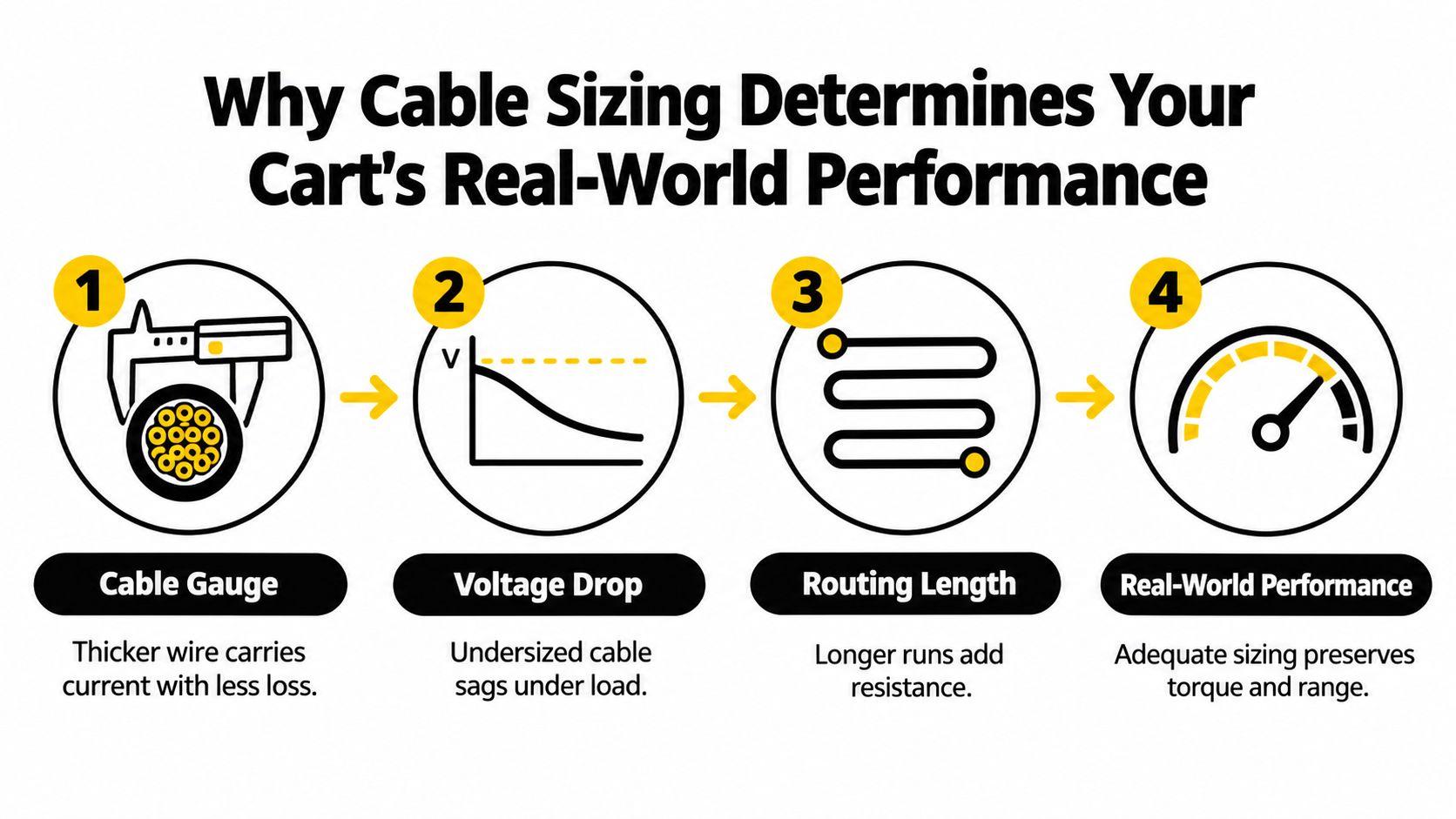
How resistance becomes a driving problem
You notice excessive resistance through symptoms rather than through the cable's appearance. The cart may hesitate when you press the accelerator, lose power on an incline, or perform well for a short distance before heat builds in a cable connection. Resting pack voltage can look normal because the fault only appears when the motor demands substantial current.
Thicker copper conductors reduce resistance, but thicker isn't automatically better in every installation. A cable that's difficult to route can put strain on battery posts, create tight bends at lugs, or rub against the chassis. The correct choice balances gauge with current demand, one-way length, routing quality, and the cart's actual use.
Practical rule: If a cable gets noticeably warm under load, don't treat that as normal performance. Check the cable, lug, crimp, and terminal before blaming the batteries.
Hills, lifted tires, heavy cargo, and performance controllers all raise the likelihood that stock wiring will become the limiting component. Upgraded carts commonly move from smaller factory cables to 4 AWG, 2 AWG, or 1/0 AWG, depending on the system and current demand. For related guidance on keeping the drive system healthy, use this DC motor maintenance guide alongside your cable inspection.
A cart's electrical behavior also connects directly to its broader performance. If you're diagnosing slow acceleration or inconsistent range, the electric golf cart performance guide gives useful context, but the first physical check should still include the high-current cable path.
Choosing the Right Cable Gauge for Your System Voltage
Start with the cart's system voltage, then account for how hard you use it. Voltage alone doesn't determine the final cable size, but it gives you a practical starting point. Current draw, cable length, resistance per foot, terrain, and planned upgrades decide whether the starting point is sufficient.
Use the following field reference rather than treating it as a universal replacement specification. Golf Cart Lab's power and charging guidance recommends keeping total voltage drop at or below about 3% under load and evaluating the complete round-trip cable path.
| System Voltage | Recommended Cable Gauge | Approximate Current Capacity |
|---|---|---|
| 36V | 6 AWG | About 100 A |
| 48V | 4 AWG | About 150 A |
| 72V, higher-performance setup | 2 AWG or larger | About 200 A |
These figures are practical guidance, not permission to replace every cable without measuring the system. A short, lightly loaded stock cart may work acceptably with its original wiring. A cart used on hills, fitted with lifted tires, or carrying heavy loads spends more time at high current, so a heavier conductor gives more margin and better control of heat.
Compare the installation with the intended use
A stock configuration often prioritizes manufacturing cost and adequate operation under ordinary conditions. That doesn't mean the original cable is defective. It means the cable may have limited reserve when the cart's operating demands change.
An upgraded build should be evaluated as a complete circuit. Main battery leads, battery-to-battery interconnects, motor cables, lugs, and termination points all need to support the expected current. Replacing only one visibly thin cable can leave another section as the bottleneck.
Measure before ordering
Measure the one-way run length and account for the full return path. Extra-length loops add resistance, while sharp bends and forced routing can damage insulation or loosen a lug over time. Then estimate or measure operating current and calculate the round-trip voltage drop.
Verify the result under pedal load with a meter. If the measured drop is high or the cable warms, the problem may be an undersized conductor, a failing crimp, a loose terminal, or more than one issue at once. Thin automotive wire is a poor shortcut for a traction circuit because it can create avoidable resistance even when it looks tidy.
A larger cable also has trade-offs. It costs more, weighs more, and can be harder to bend into a compact battery compartment. Choose the gauge that meets the load and voltage-drop target, then spend equal attention on routing and terminations.
Safe Routing and Installation Practices for Battery Cables
A correctly sized cable can still fail when installation leaves it rubbing against metal, hanging near a heat source, or pulling sideways on a battery post. Route each cable as short and direct as practical, with enough flexibility for vibration but without unnecessary loops. Secure the run so it can't contact moving parts, sharp edges, or hot components.
Choose stranded copper cable with durable insulation and tin-plated lugs. Stranding lets the cable tolerate vibration and controlled bends, while tin plating helps protect the lug against oxidation. Inspect the lug barrel and crimp quality before installation. A beautiful cable with a poor connection still creates a high-resistance joint.
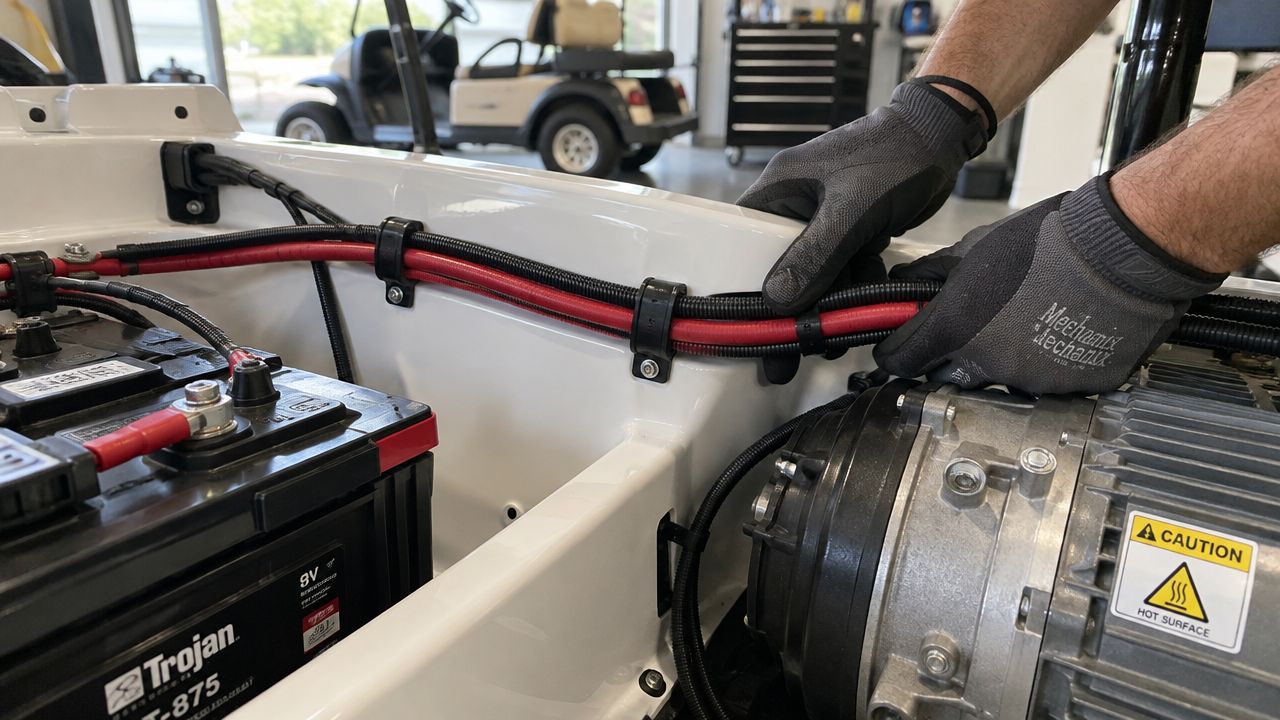
Disconnect the charger and follow the cart manufacturer's shutdown procedure before touching the battery bank. Wear eye protection and gloves, keep conductive tools from bridging terminals, and photograph the existing cable arrangement before removal. That photo won't replace a wiring diagram, but it can help you confirm the original series path and cable orientation.
Protect the cable from movement and heat
Leave no cable resting against an abrasive bracket or battery tray edge. Use suitable clamps or supports, but don't crush the insulation or create a bend tighter than the cable manufacturer allows. Keep cables away from exhaust-like heat sources, motor housings that become hot, and any linkage that moves through its operating range.
Avoid long loops just to make installation easier. Extra length increases resistance and gives the cable more opportunity to vibrate, snag, or rub. If a cable must change direction, form a smooth bend and support it close enough to prevent the lug from carrying the mechanical load.
Treat terminal torque as part of the electrical specification
Interstate Batteries' golf cart safety guidance lists battery terminal torque at 10 to 15 ft-lb, or 13.6 to 20.3 N·m. Use a calibrated torque wrench and confirm the battery manufacturer's requirements before applying that range, especially when the battery chemistry or terminal design differs.
Loose terminals create resistance and heat. Over-tightening can damage posts or hardware, so “as tight as possible” isn't a professional installation method. A clean contact surface, correctly sized lug, sound crimp, and specified torque work together.
Golf carts fall within broader traction-battery safety practice. The IEC 62485-3 battery-installation standard explicitly covers electric vehicles including golf carts, while North American practice also addresses wiring and heat-generating components through ANSI/OPEI Z130.1-2020. The important lesson is practical: cable gauge, connection torque, and heat control deserve the same care as the batteries themselves.
Use this video as a visual supplement for safe cable work, not as a substitute for your cart's service documentation.
Diagnosing Hidden Cable Failures Beyond Surface Corrosion
Surface cleaning solves only surface corrosion. I've seen a terminal scrubbed until it looked clean while the cable remained swollen, internally corroded, and unable to carry current without a large voltage drop. The cart then failed under acceleration even though a continuity test suggested the cable was connected.
The most useful test is a voltage-drop check under load. Set up the meter according to its instructions, place the probes directly across one cable-lug pair, and command the cart to drive in a controlled, safe manner. A meaningful reading across that individual connection shows that the cable or termination is resisting current.
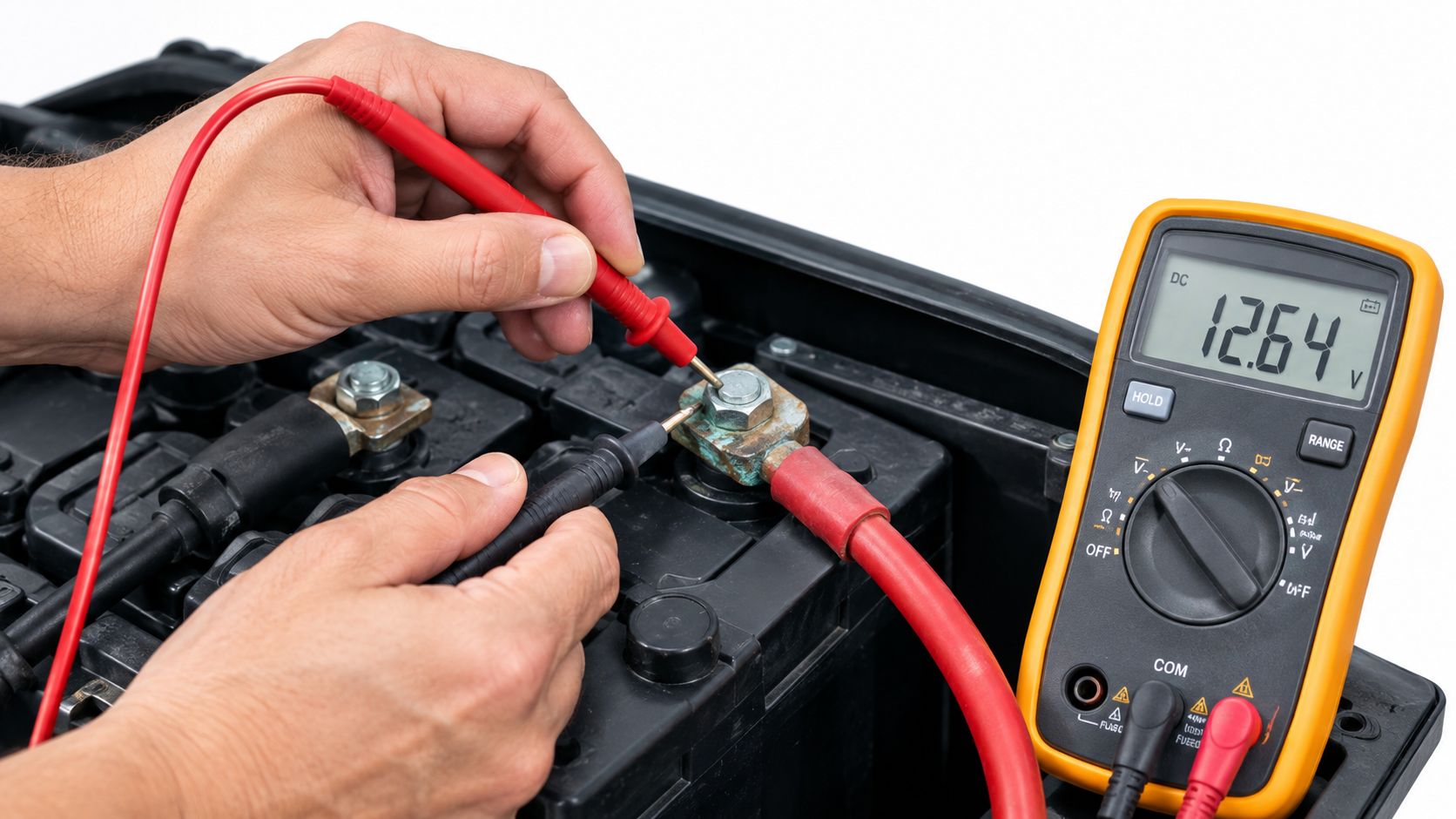
Read the physical warning signs
Inspect the entire cable, not just the terminal face. Look for:
- Swollen insulation: A bulge can indicate corrosion developing inside the jacket and restricting current flow.
- Heat discoloration: Darkened insulation or a discolored lug points to sustained resistance at the conductor or connection.
- Melted connectors: Melting usually means the joint has produced enough heat to damage surrounding material.
- Cracked insulation: Cracks expose the conductor to moisture, abrasion, and accidental contact.
- Green or white corrosion: Corrosion at the terminal may extend into the strands beneath the insulation.
- Acid damage: Battery acid can attack the conductor, lug, insulation, and nearby hardware.
These signs don't identify the exact fault by themselves, but they tell you not to rely on cleaning alone. A swollen cable is especially easy to dismiss because the terminal may still tighten normally.
Why continuity tests can mislead
A no-load continuity test asks whether a circuit exists. It doesn't show whether the cable can carry the current demanded by the motor without excessive voltage loss. A few intact strands can produce continuity while the damaged cable becomes a bottleneck during acceleration.
Test the battery pack under load as well as at rest. A weak battery can mimic a cable fault, and a failing cable can make a healthy pack look weak at the motor. Guidance on golf cart battery cable troubleshooting supports checking voltage drop across each cable-lug pair and inspecting heat, corrosion, and conductor condition rather than trusting appearance alone.
Check both main leads and the short interconnects. If the battery pack holds its expected behavior under load but one cable-lug pair shows a disproportionate drop, replace or repair that specific part and retest. For a cart that won't move or has intermittent power, use this golf cart no-power troubleshooting guide as a broader diagnostic reference.
When Cleaning Is Enough and When Replacement Is Safer
Cleaning is reasonable when corrosion is limited to the exposed contact surface and the cable remains physically sound. Remove the connection safely, clean the terminal and lug contact areas with an appropriate brush, inspect the hardware, and protect the finished connection with a suitable terminal protector. Then retest under load.
Cleaning won't restore copper strands that have corroded beneath the insulation. It also won't repair a loose crimp, a heat-damaged lug, acid-eaten conductor, or insulation that has lost its protective integrity.
Replace the cable when the evidence is internal
Replacement is the safer decision when you find:
- A swollen cable jacket, which can signal internal corrosion and blocked current flow.
- Melted insulation or burnt connectors, which show that heat has already compromised the assembly.
- Cracked or acid-damaged insulation, which leaves the conductor vulnerable.
- Green or white corrosion entering the lug, especially when paired with an under-load voltage drop.
- A cable that warms during normal operation, even when the terminal appears clean.
- Broken strands or a loose crimp, which can create intermittent resistance and heat.
A1 Golf Carts' battery maintenance guidance highlights swollen cables, melted cables, burnt connectors, cracked insulation, and acid damage as signs of deeper wiring trouble. Those conditions call for replacement, not another round of surface treatment.
Weigh downtime, not just parts
Trying to salvage a questionable cable may seem economical, but the failure can return under the exact load that matters most. For a personal cart, that means a weak climb or a stranded ride. For a resort, fleet, or maintenance operation, an intermittent cable fault can disrupt vehicle availability and make troubleshooting more expensive.
Replace the affected cable with the correct gauge, conductor material, lug design, and cable length. Don't reuse a heat-damaged lug on a new conductor. The installation should end with a torque check and an under-load voltage-drop test, because replacement without verification leaves the original diagnostic question unanswered.
Building a Reliable Cable Maintenance Routine
A dependable routine combines inspection with measurement. During battery service, look for swelling, cracked insulation, discoloration, corrosion, loose lugs, and cable movement. Clean only sound connections, and treat any internal warning sign as a reason to investigate further.
Recheck terminal torque against the battery or cable manufacturer's specification. Confirm that cables remain supported, clear of sharp edges, and free from unnecessary loops. Under-load voltage-drop testing is the most useful way to catch a connection that looks acceptable at rest.
Battery condition still matters. A weak pack can produce the same sluggish behavior as a bad cable, so compare pack behavior under load with the voltage across individual cable-lug pairs. The golf cart battery maintenance guide can help you keep the battery side of that diagnosis in order.
If you're buying cables, start with system voltage and current demand, then check length and routing. If you're upgrading, size the entire high-current path rather than one visible lead. If you're troubleshooting, inspect for hidden damage before spending money on batteries or controllers.
Solana EV provides electric vehicles and golf carts for neighborhood, resort, campus, and off-road use, with guidance that includes cable upgrades and connection troubleshooting. Visit Solana EV to review its vehicle lineup, find a dealer, or discuss a reliable electrical setup for your application.