
Think of your golf cart's controller as its brain. It's the mission control center that sits between your foot on the accelerator and the motor that actually turns the wheels. Without it, you’d have no finesse—just a wild, lurching ride that’s either off or at full, uncontrollable power.
The Unsung Hero: Your Golf Cart’s Brain
So, what really makes your cart move when you press the pedal? While the batteries are the fuel tank and the motor is the engine, the controller for a golf cart is the sophisticated computer managing the entire show. It's the crucial link that translates your command for "more speed" into a precise electrical response.
A great way to picture this is to think of a high-tech dimmer switch for a light bulb.
- The Batteries: This is the wall socket, full of raw electrical power.
- The Accelerator Pedal: This is you, turning the dimmer knob up or down.
- The Controller: This is the dimmer switch itself, carefully metering how much electricity flows through.
- The Motor: This is the light bulb, which glows brighter—or in this case, spins faster—the more power it gets.
When you just barely touch the accelerator, the controller sends a trickle of current to the motor for a gentle, smooth takeoff. Stomp on it, and the controller opens the floodgates, sending a rush of amperage to the motor for maximum speed and hill-climbing torque. This precise power management is what makes a modern electric cart so easy and enjoyable to drive.
Why This Little Box is a Big Deal
The controller's job has become even more important as the golf cart world has exploded. The global market is already valued at USD 1.86 billion and is on track to reach USD 3.29 billion soon. A huge driver of that growth is the electric cart, which now makes up about 52% of the market share thanks to the advanced controllers that make them so efficient and powerful. You can dive deeper into these numbers in this detailed golf cart market analysis from The Brainy Insights.
But the controller does far more than just manage your speed. It's the guardian of your cart's entire electrical system. It prevents the motor from pulling too much power and burning itself out, helps you get the most range out of your batteries, and even enables cool features like regenerative braking on newer models.
A high-quality controller doesn't just make a cart faster; it makes it smarter, safer, and more reliable. It’s the single most impactful upgrade for improving torque, acceleration, and overall driving experience.
To really nail down what the controller does, let's break its main jobs down into a simple table.
Key Functions of a Golf Cart Controller
| Function | What It Does | Why It Matters |
|---|---|---|
| Speed Regulation | Translates accelerator input into motor speed. | Provides smooth, controllable acceleration instead of jarring starts and stops. |
| Torque Control | Manages amperage to deliver power for climbing hills. | Ensures the cart has enough strength to handle inclines without stalling. |
| System Protection | Limits current to prevent motor or battery damage. | Acts as a safeguard, extending the life of your most expensive components. |
| Efficiency Management | Optimizes power draw from the batteries. | Maximizes the cart's range on a single charge and improves battery health. |
As you can see, this one component wears a lot of hats. It's the reason your cart feels responsive, powerful, and safe every time you get behind the wheel.
A Look at the Different Types of Golf Cart Controllers
When you start digging into the world of golf cart performance, you’ll quickly realize that the controller for a golf cart isn't a simple, one-size-fits-all part. Just like a car's engine determines its driving feel, the controller shapes your cart's personality—how it accelerates, its overall efficiency, and what special tricks it has up its sleeve. Getting a handle on the different types is the first real step to a smart repair or a truly transformative upgrade.
At its most basic, the controller is the brain of your cart's electrical system. It's the critical middleman between your batteries and your motor.
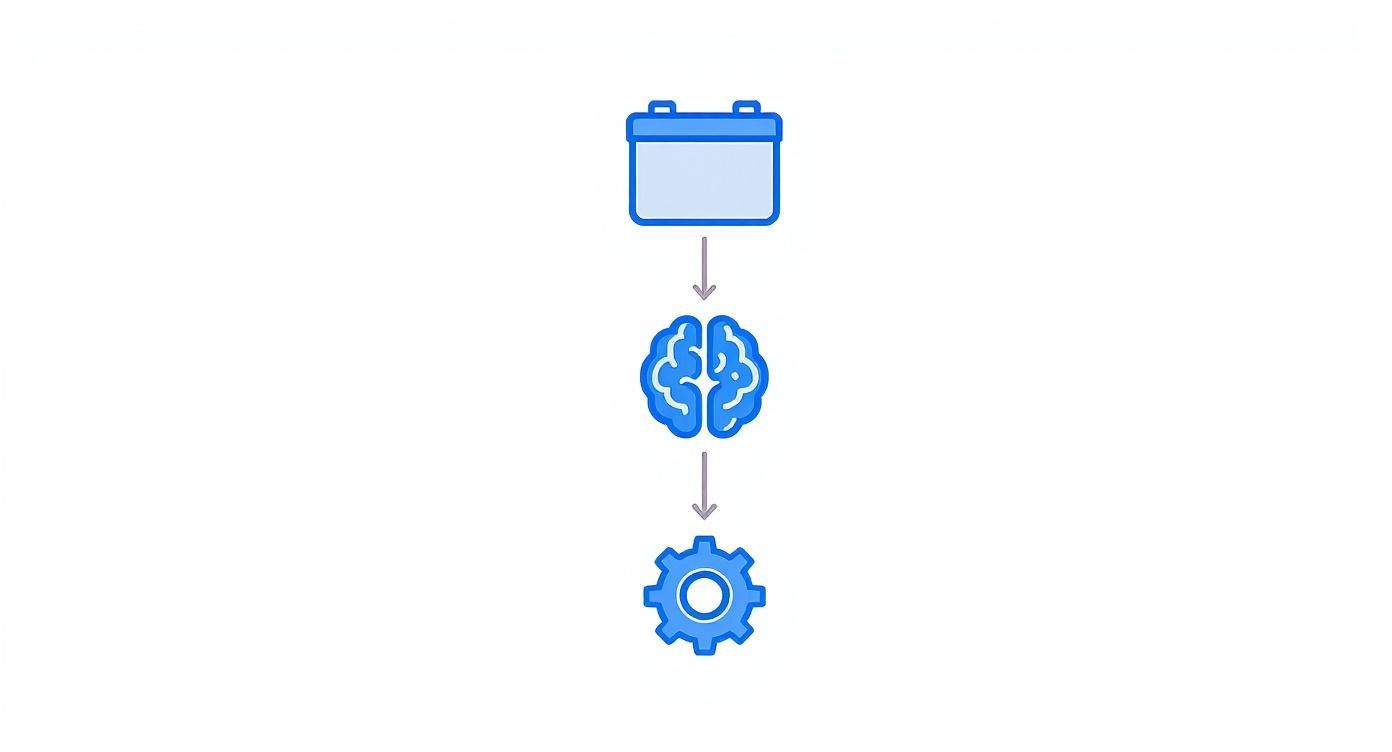
This simple diagram says it all. The controller takes the raw power from the battery pack, interprets your foot on the pedal, and then delivers a precise, managed flow of electricity to the motor. It’s the command center that ensures everything works together smoothly.
Series vs. SepEx Controllers
The oldest and most fundamental divide in controller tech is between Series and SepEx systems. You can think of this as the difference between old-school, raw muscle and modern, refined performance.
- Series Controllers: These are the classic workhorses you'll find in older or heavy-duty carts. In a series setup, the motor's internal components (the armature and field coils) are wired together in one big loop. This simple, brute-force design gives you a massive amount of torque right off the line. It's perfect for hauling heavy loads or climbing a steep hill from a dead stop. The downside? They're less efficient and lack modern features like regenerative braking.
- SepEx (Separately Excited) Controllers: This is the modern standard for a reason. The controller manages the armature and field coils independently, giving it far more sophisticated control over the motor's performance. This precision is what enables features like regenerative braking (which recaptures a little energy when you slow down) and anti-rollaway protection. Carts with SepEx systems feel smoother and more responsive.
A great way to think about it is this: a Series controller is like a classic dragster—it’s all about raw, off-the-line power. A SepEx controller is like a modern sports car, blending that power with precision, efficiency, and advanced handling.
Brushed vs. Brushless DC Motors
As electric motors have evolved, so have the controllers needed to run them. The controller and motor are a matched pair; you can't have one without the other.
A traditional brushed DC motor is the old-school standard. It uses small carbon blocks, or "brushes," to physically make contact and send power to the spinning parts of the motor. They're simple and cheap, but they're also less efficient, and those brushes eventually wear out and need replacing.
A brushless DC motor is the newer, more advanced technology. It cleverly uses electronics to switch the magnetic fields, eliminating the need for physical brushes. This means they're more efficient, run cooler, and are virtually maintenance-free. While they need a more complex controller, they deliver far better performance and a longer lifespan. Understanding how controllers and high-performance golf cart motors work together is key to building the ultimate powertrain.
Sensored vs. Sensorless Controllers
This distinction really only comes into play in the world of brushless motors. It all comes down to how the controller knows the exact position of the motor's rotor, which is essential for timing the delivery of power perfectly.
- Sensored Controllers: These systems rely on small sensors (called Hall effect sensors) built right into the motor. These sensors give the controller precise, real-time feedback on the rotor's position. The result? Incredibly smooth takeoffs from a standstill and excellent control at very low speeds.
- Sensorless Controllers: Instead of physical sensors, these controllers use sophisticated algorithms. They constantly measure the electrical feedback (known as back-EMF) from the motor to estimate the rotor's position. This makes the system simpler and more durable since there are no sensors to break. The only trade-off is that you might feel a tiny "stutter" or hesitation on the initial takeoff from a dead stop.
Knowing these different types isn't just trivia. It helps you figure out exactly what's in your cart, understand its quirks, and make informed decisions when it's time to troubleshoot a problem or plan a major upgrade.
Understanding What the Controller Specs Really Mean
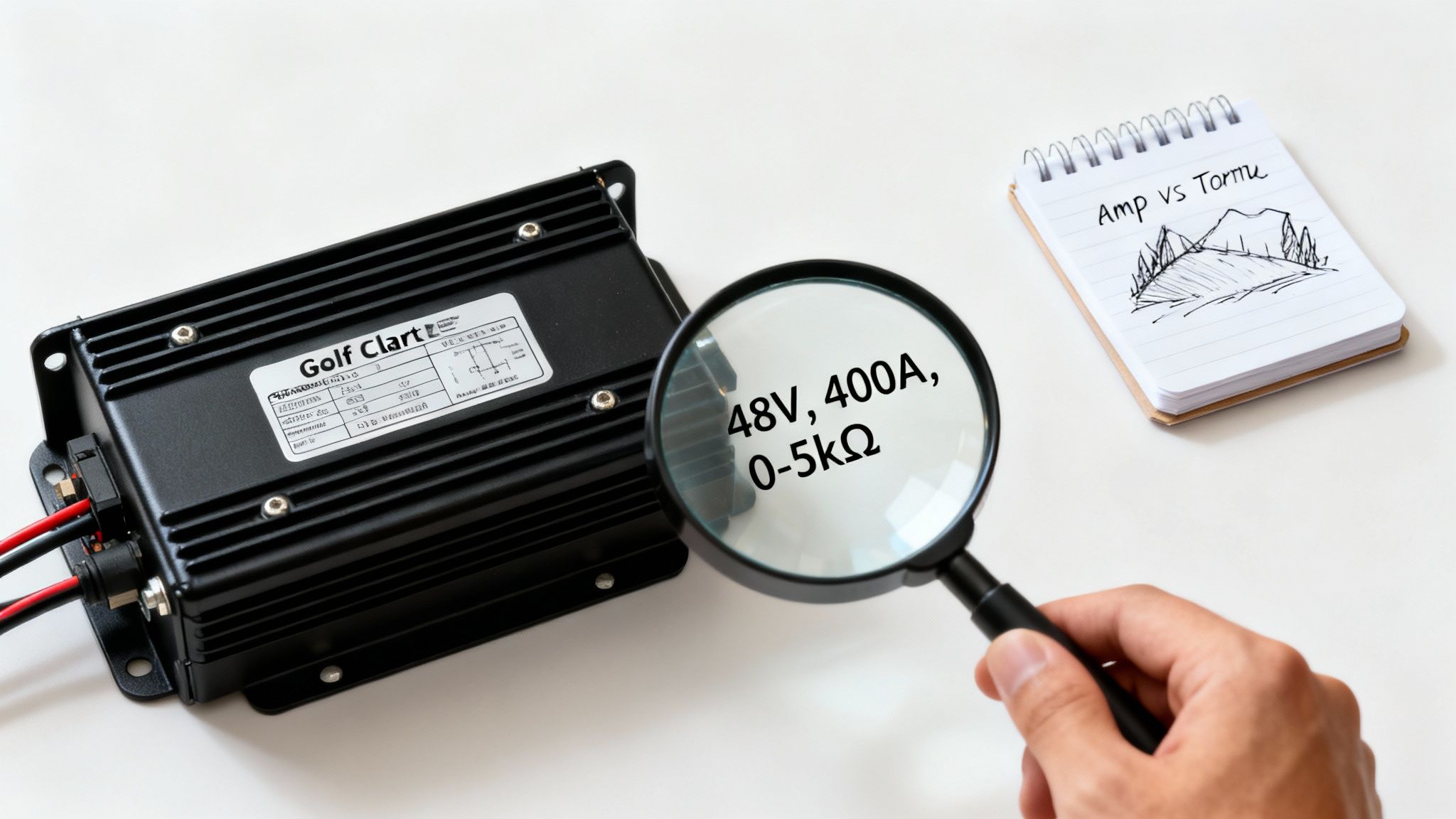
Jumping into a controller upgrade can feel like you’re trying to read a foreign language. The spec sheets are covered in numbers and abbreviations, but once you crack the code, you're on your way to unlocking your cart's real potential.
Think of it like shopping for a new power tool—you need to know what the voltage and amp ratings mean to get the right one for the job. Let’s break down the three big specs you'll see on every controller for a golf cart: voltage, amperage, and throttle type. These aren't just random numbers; they dictate exactly how your cart performs.
Voltage: The Unbreakable Rule
First things first: voltage (V). This is the one number you absolutely cannot get wrong. It must match your cart's battery pack. If you've got six 8-volt batteries, you're running a 48V system, so you need a 48V controller. No exceptions.
Trying to mix and match voltages is a surefire way to fry your expensive new controller or other parts of your electrical system.
Expert Tip: Matching the controller's voltage to your battery pack isn't just a recommendation—it's a hard-and-fast rule. A 36V controller connected to a 48V battery pack will be toast in an instant. On the flip side, a 48V controller won't even wake up properly on a 36V system.
You'll typically see one of these voltages:
- 36V: Common in older, classic carts. Still a reliable workhorse.
- 48V: The modern industry standard. You’ll find this in most new carts.
- 72V: This is the big league, usually found in high-performance or heavy-duty utility vehicles.
This voltage rating is the baseline "pressure" that powers your entire electrical system. Everything, from the motor to the charger, is designed to work together at that specific voltage. This is critical for the long-term health of your batteries, which is why understanding the role of a battery management system is so important for protecting your investment.
Amperage: The Real Source of Your Power
If voltage is the pressure, think of amperage (A) as the volume of power flowing to your motor. The higher the amperage, the more current the controller can push. In the real world, that means more torque. More torque gives you that snappy acceleration off the line and the raw muscle to climb hills without breaking a sweat.
On a spec sheet, you’ll usually find two amp ratings:
- Continuous Amps: This is the current the controller can handle all day long without overheating.
- Peak Amps: The quick burst of power it can deliver for a few seconds when you need it most, like when you first stomp the pedal or hit a steep incline.
A standard, factory-issue controller might be rated for 250A-300A, which is perfectly fine for cruising on a flat golf course. But as soon as you add a back seat, bigger tires, or you live in a neighborhood with hills, that stock controller will start to feel sluggish. Upgrading to a 400A or 500A+ controller is how you get that power back, and then some.
Throttle Type: How Your Foot Talks to the Brain
Finally, there's the throttle input type. This spec tells the controller how to read the signal coming from your accelerator pedal. It’s the language your foot uses to talk to the controller's brain. If they don't speak the same language, your cart isn't going anywhere.
Here are the most common dialects you'll run into:
- 0-5kΩ: A popular standard where the resistance from the pedal goes from 0 ohms (foot off) to 5,000 ohms (floored).
- 5k-0Ω: This is just the reverse of the above, often found in carts with a "potbox" style throttle.
- ITS (Inductive Throttle Sensor): Used in many E-Z-GO carts, this is a more modern electronic sensor instead of a simple mechanical one.
Your new controller has to be compatible with your cart’s specific throttle type. The good news is that many modern aftermarket controllers are programmable, so you can just select the right throttle profile during setup, giving you a lot more flexibility.
So, how do these amperage ratings actually feel when you're driving? This table gives you a good idea of what to expect.
Controller Amperage vs Performance Impact
| Amperage Rating | Best For | Torque Impact | Speed Impact |
|---|---|---|---|
| 250A – 300A | Flat ground, stock tires, light loads | Standard | Good for basic cruising. May feel slow on takeoff and struggle with even small hills. |
| 400A – 450A | Mild hills, bigger tires, 4-passengers | Moderate Boost | The sweet spot for most users. You'll feel a big difference in acceleration and climbing. |
| 500A+ | Steep hills, off-roading, heavy-duty use | High Torque | Delivers aggressive, tire-spinning power. This is for tackling the toughest jobs. |
As you can see, choosing the right amperage is all about matching the controller's muscle to how you actually use your cart. A little extra power can completely change the driving experience for the better.
Choosing the Right Controller for Your Cart
Picking the perfect controller for a golf cart can feel like a huge commitment, but it really doesn't need to be. If you know what to look for, you can skip the guesswork and find a unit that’s a perfect match for your cart and how you actually use it. This isn't about just grabbing the most powerful one off the shelf; it's about finding the right one.
The whole process really comes down to three key steps. First, figure out what you’re working with. Second, be honest about your performance needs. And third, make sure all the new parts will play nicely together. Nail these three, and you're on your way to a whole new driving experience.
Step 1: Identify Your System Voltage and Motor
Before you even open a single web page, you need to know two fundamental things about your cart: its system voltage and the type of motor it has. This is non-negotiable. As we’ve already discussed, the controller’s voltage rating must match your battery pack’s total voltage, whether that’s 36V, 48V, or 72V. It’s the golden rule of any controller swap.
Just as critical is your motor type. Is it a Series or a SepEx motor? A controller built for one simply won't work with the other—they're wired and controlled in completely different ways. A quick peek at the motor itself or a Google search of your cart’s model number will usually give you the answer.
Step 2: Assess Your Real-World Driving Needs
Okay, this is where you get to match the controller's power (its amperage) to your lifestyle. A stock 300A controller is perfectly fine for a gentle cruise around a flat retirement community. But the second you ask more of it, it’s going to feel sluggish and weak.
Ask yourself these simple questions:
- Where am I driving? Cruising on paved, flat paths is a world away from climbing steep hills in your neighborhood or tackling muddy trails.
- What am I hauling? Are you usually driving solo, or is the cart regularly loaded with four people, golf bags, or heavy gear?
- What else have I upgraded? Big, knobby tires and a lift kit look great, but they add a ton of strain to the drivetrain. You’ll need more power to turn those wheels effectively.
Let’s put this into a real-world context. Imagine a 48V Club Car used by a maintenance crew at a resort. It’s constantly hauling tools and climbing steep service ramps. That cart would be transformed by a 500A SepEx controller. The extra amperage gives it the raw torque needed to handle the weight and the hills without overheating or struggling.
When you choose a controller, you're not just buying speed; you're buying capability. The right amperage ensures your cart performs effortlessly in your environment, not just on a showroom floor.
Step 3: Confirm Compatibility and Think Ahead
Once you've got your list narrowed down by voltage, motor type, and amperage, the last check is making sure everything else is up to snuff. A new high-amperage controller is going to pull a lot more current, so your solenoid and battery cables have to be able to handle it. Flimsy, old cables will just create a bottleneck—or worse, a fire hazard. This is exactly why many controller upgrade kits come bundled with a heavy-duty solenoid.
This is also the perfect time to think about getting a programmable controller. These units are fantastic because they let you customize the cart’s personality. You can dial in settings like:
- Acceleration Rate: Make the takeoff smooth and gentle for grandkids or snappy and aggressive for fun.
- Top Speed: Cap the maximum speed for safety in crowded areas.
- Regenerative Braking: Adjust how much the motor slows you down when you lift off the pedal, which also sends a trickle of power back to the batteries.
This kind of control is a game-changer, especially for businesses. In fact, the commercial sector now makes up about 58% of the golf cart market, with resorts and planned communities opting for carts with smarter controllers for their reliability and efficiency. For anyone managing a fleet, features like regenerative braking and system diagnostics are essential. You can dig deeper into this trend and the growing golf cart market on Future Market Insights.
By taking a few minutes to work through these steps, you can confidently pick a controller that won't just work—it'll make your cart feel like a brand-new machine perfectly suited for you.
Installation, Programming, and Safety: Putting It All Together
You’ve done the research and picked out the perfect new controller for your golf cart. Now comes the fun part: installation. While a detailed wiring diagram for every specific cart is outside the scope of this guide, we can walk through the core process and, most importantly, the safety steps that are absolutely non-negotiable.
Think of this as your pre-flight checklist. Getting it right ensures a smooth upgrade and unlocks your cart's true potential.
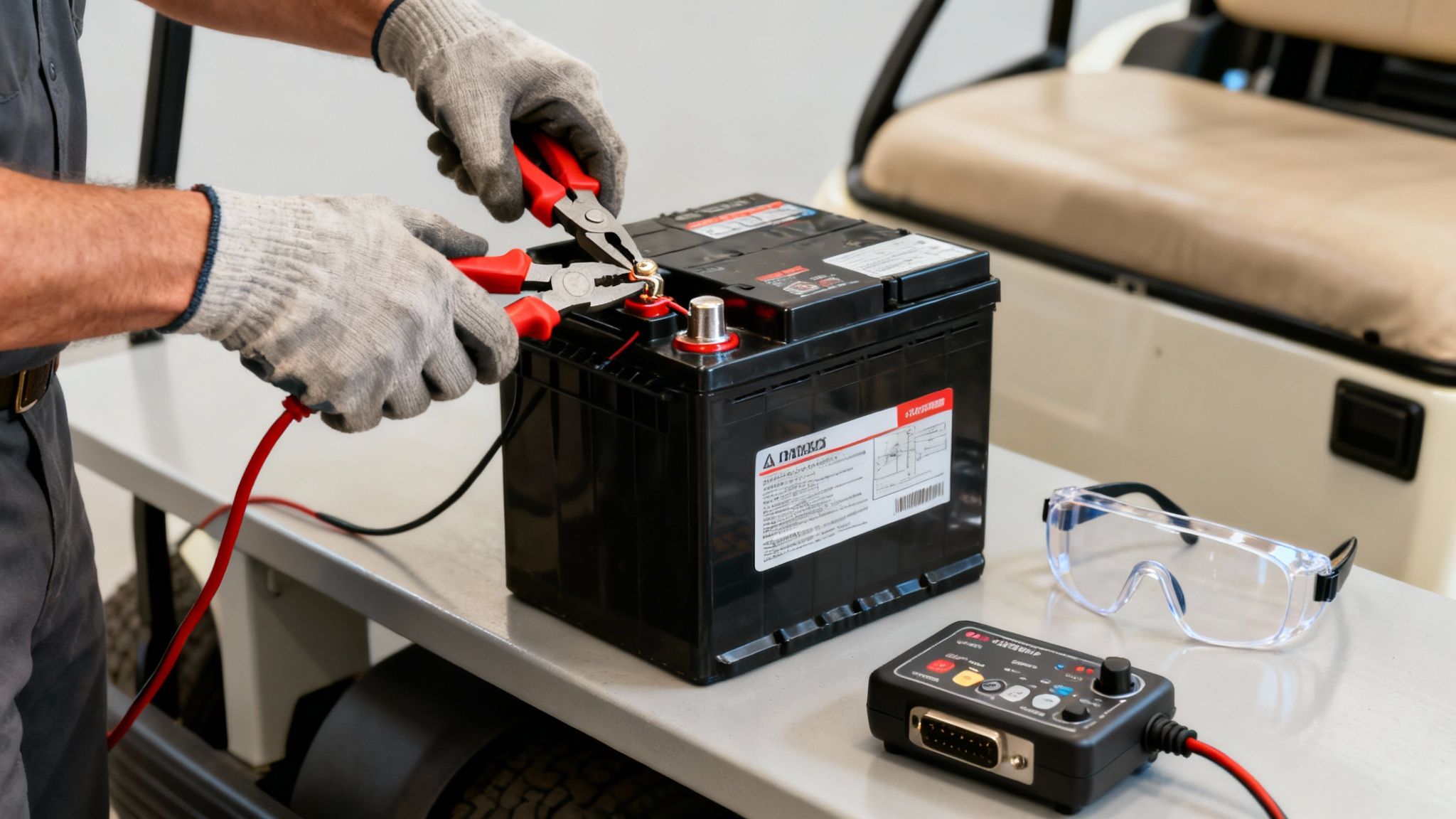
The single most critical step, before you even think about touching a wire, is to completely disconnect the battery pack. This isn't just a friendly tip; it's the golden rule for preventing nasty electrical shocks and saving your brand-new controller from getting fried before you even use it.
The Universal "Safety First" Approach
Before your tools get anywhere near the electronics, you have to break the main circuit. It’s a simple process that acts as your primary defense against something going wrong.
- Flip to Tow Mode: Find the run/tow switch, which is usually under the seat. Flip it over to the TOW position. This effectively puts the cart’s entire electrical system to sleep.
- Disconnect the Main Negative: Find the main negative terminal—the one where the thick cable leaves the entire battery pack. Use an insulated wrench to carefully remove this cable first.
- Disconnect the Main Positive: Once the negative is safely out of the way, you can remove the main positive cable using the same method.
With the battery pack fully isolated, you’re clear to start working on the controller itself. It’s always a good idea to use insulated tools and wear protective gloves for an extra layer of safety.
A Quick Word of Advice: Don't rush this. Taking five minutes to properly disconnect the batteries protects you, your cart, and the money you just spent. A moment of carelessness can easily result in a toasted controller or, far worse, a serious injury.
Unlocking Performance Through Programming
Once the new controller is bolted in and wired up, the real magic begins. Modern aftermarket controllers are incredibly versatile, letting you dial in your cart’s performance to perfectly suit how you drive. This is where you get to transform a standard-issue cart into a machine that feels like it was built just for you.
You’ll typically be able to adjust parameters like:
- Maximum Speed: Got teenage drivers? Cap the top speed. Need to get around the property faster? Let it rip.
- Acceleration Rate: You can choose anything from a buttery-smooth, gentle takeoff to an aggressive, tire-chirping launch.
- Regenerative Braking: Want the cart to slow down noticeably when you lift off the pedal and send some juice back to the batteries? Crank it up. Prefer a more natural coasting feel? Turn it down.
- Throttle Response: Fine-tune how the pedal feels. Make it more sensitive for quick maneuvers or more gradual for smooth cruising.
This customization is a game-changer. For instance, a manager at a Solana EV dealership could program a fleet of rental carts with mild acceleration and a lower top speed for guest safety. Meanwhile, an off-road enthusiast can crank up the torque for climbing steep, muddy trails.
Built-In Safety and Peace of Mind
Beyond the exciting performance tweaks, a modern controller for a golf cart brings a suite of advanced safety features to the table. These systems act as a bodyguard for your electronics, constantly monitoring conditions to prevent damage and keep things running reliably.
Key protective features often include:
- Over-Temperature Protection: If the controller starts running too hot, it will automatically scale back the power to cool down, preventing permanent damage.
- Under-Voltage Cutoff: This crucial feature stops you from draining your batteries too low, which can drastically shorten their lifespan and lead to expensive replacements.
- Short-Circuit Protection: If the controller detects a dangerous electrical short, it shuts down instantly, preventing a catastrophic failure.
These safeguards are always working in the background. They give you the confidence to push your cart's performance, knowing its electronic brain is watching its own back.
Troubleshooting Common Controller Problems
Even the best-maintained golf carts have their off days. When trouble strikes, the controller is often a top suspect. Trying to figure out if your controller for a golf cart is on the fritz can feel intimidating, but a little logical troubleshooting can go a long way. It might just save you a service call and get you back on the path faster.
One of the most classic signs of a controller issue is the infamous "solenoid click, but no go." You step on the pedal, hear that satisfying click from the solenoid, but the cart just sits there. That click tells you the first part of the electrical journey is complete, but the controller isn't passing the message—or the power—to the motor.
First Steps in Diagnosis
Before you point the finger at the controller, it's crucial to rule out the simpler culprits. You'd be surprised how often a problem that looks like a bad controller is actually something far easier to fix. A step-by-step approach is your best friend here. While the context is different, the core logic behind strategies for diagnosing and fixing technical issues can be surprisingly helpful.
Always start with these quick checks:
- Check Your Battery Pack: Are your batteries fully charged? Are all the connections clean and snug? Low voltage or a loose cable can easily starve the controller of the power it needs to work.
- Inspect All Wiring: Give the wiring a good visual once-over. Look for any connections to the controller, motor, or solenoid that appear loose, corroded, or have that distinct burnt-plastic look. One bad wire can stop everything.
- Confirm the Tow/Run Switch: We’ve all done it. Make sure that switch is set to "Run."
Think of it this way: a controller needs a clean, stable power supply to do its job. Ruling out battery and wiring issues first ensures you aren't about to replace a perfectly healthy controller.
Common Symptoms and What They Mean
If the fundamentals all look good, it's time to zero in on specific symptoms that strongly suggest a controller failure. The way your cart is misbehaving can offer clues about what's gone wrong inside the unit.
Here are a few tell-tale signs that your controller is waving a white flag:
- Jerky or Stuttering Acceleration: The cart lurches or hesitates as you accelerate. This is often a sign the controller can't regulate power smoothly anymore.
- Running at Half-Speed: Your cart moves, but it feels weak and can't get up to its usual top speed. This could mean a bank of transistors inside the controller has failed.
- A Complete Loss of Power: The cart was running fine one minute and dead the next, with no response even after it cools down.
- A Burning Smell: This one is hard to miss. A sharp, electrical burning smell from under the seat is a dead giveaway that something inside the controller has fried itself.
If your cart is showing any of these signs, a controller replacement is probably on the horizon. For a more exhaustive checklist, our guide on troubleshooting electric golf cart problems provides more in-depth steps to help you be certain.
Your Top Questions About Golf Cart Controllers, Answered
Even after diving deep into the technical specs, a few practical questions always seem to pop up. Let's tackle some of the most common things we hear from cart owners. This is the stuff that often trips people up, so think of this as your quick-reference guide for those real-world "what if" moments.
Getting these details right can save you a lot of time, money, and frustration down the road.
Can I Put a 48V Controller in a 36V Golf Cart?
This is a big one, and the short answer is no. You can't just drop a 48V controller into a 36V golf cart and expect it to work—it's a recipe for trouble. The controller's voltage must match your battery pack's total voltage.
Putting a 48V controller on a 36V battery pack will likely lead to it not working at all. The reverse is even worse: hooking a 36V controller up to a 48V pack will fry it instantly.
If you're serious about upgrading to 48V, it’s a full system conversion. You'll need to swap out:
- The entire battery pack to add up to 48V.
- The solenoid for a 48V-rated one.
- The battery charger for a 48V model.
- And quite possibly the motor, to make sure it can handle the increased power.
What Is the Difference Between a Controller and a Solenoid?
Great question! It's easy to get these two mixed up since they work so closely together. Here's a simple way to think about it: the solenoid is a heavy-duty light switch, and the controller is the dimmer.
When you first press the accelerator, you'll hear a solid click. That's the solenoid—the "on/off switch"—closing the main circuit and letting the full flow of battery power get to the controller. From there, the controller—the "dimmer"—takes over, precisely managing how much of that power goes to the motor based on your throttle input.
That classic "click but no go" problem? It often means the solenoid is working, but the controller isn't doing its job.
How Do I Know if My Golf Cart Controller Is Bad?
Pinpointing a bad controller can be tricky, but there are definitely some classic symptoms. If your cart is completely dead but you still hear the solenoid click, that's a major red flag. Other signs include jerky, stuttering acceleration, a sudden drop to half-speed, or that unmistakable smell of burnt electronics coming from under the seat.
Before you jump to conclusions and order a new controller, do the simple stuff first. Make sure your batteries are fully charged and that all your main power cables are clean and securely tightened. A loose or corroded connection can easily mimic the symptoms of a failed controller.
Is a Higher Amp Controller Always Better?
Not always. It really comes down to how you use your cart. A controller with more amps delivers more torque, which means you'll get snappier acceleration and more muscle for climbing hills. That's a huge plus for many people.
The trade-off, however, is that a high-amperage controller pulls more energy from your batteries, which can shorten your range on a single charge. The best controller for a golf cart is the one that's right-sized for your needs. If you're just cruising on flat terrain with a couple of passengers, a massive 500A+ controller is probably overkill and will just drain your battery faster than necessary.
Ready to unlock your vehicle's true potential? At Solana EV, we specialize in high-performance electric vehicles and the components that power them. Explore our lineup of premium, street-legal carts and discover how the right technology can transform your ride. Visit us at https://solanaev.com to learn more.